Creator Evaluation
Before we get into what to expect in terms of growth and your account we need to know ONE THING: Do you suck at creating content? (currently)
Ask yourself: “Do I struggle with most of the creative process?”
If the answer is yes → you suck.
BUT THAT’S OK
The reason you suck at things is because you haven’t done them enough and 9 times out of 10 the script is the culprit, it’s why talking heads have the ability to go viral and fancy edits don’t always have 1M+ views.
Knowing your suck gives you an advantage as well.
A lot of new or even long-time creators kid themselves and think just because they got 1-10 “viral” posts, their the next Mr. Beast.
And while you definitely have strong and weak points.
The tell tale sign of a sucky creator is…
INCONSISTENTCY.
Inconsistent style + Inconsistent views = Inconsistent brand that no one wants the support.
BUT because we know the problems, we can fix the problems.
(It’s what this lesson is all about.)
The only thing I ask of you is honesty with yourself.
You need to rip your content apart, pull out the suck, keep the good bits, and rebuild it using everything Parasocial has to offer.
Luckily for us every single piece of content we post is analyzed automatically for us.
And one things numbers don’t do is lie.
HOW TO READ YOUR CURRENT ANALYTICS
We can calculate engagement and share rate all day, but the main indicator of a bad creator is bad retention graphs.
Obviously not ever video can be a 1 out of 10. But ideally we’d be in the 5 out of 10 range.
(a 1 out of 10 is a score given to video that is recently posted and out performing the last 10 pieces of content.)
This is for two reasons:
Instagram’s algorithms main goal is to get people to stay on the app. If only 1 second of your content is getting watched, it shows IG that it won’t keep people on. (even worse if they watch your video → leave the app.)
If people WERE watching your videos all the way through every-time (industry standard is around 70%), you would be a very large creator already.
SETTING UP INSTAGRAM EDITS
Instagram doesn’t natively let you see your graph so you need to use it’s sister app: Edits.
Download the Edits app and log into your account.
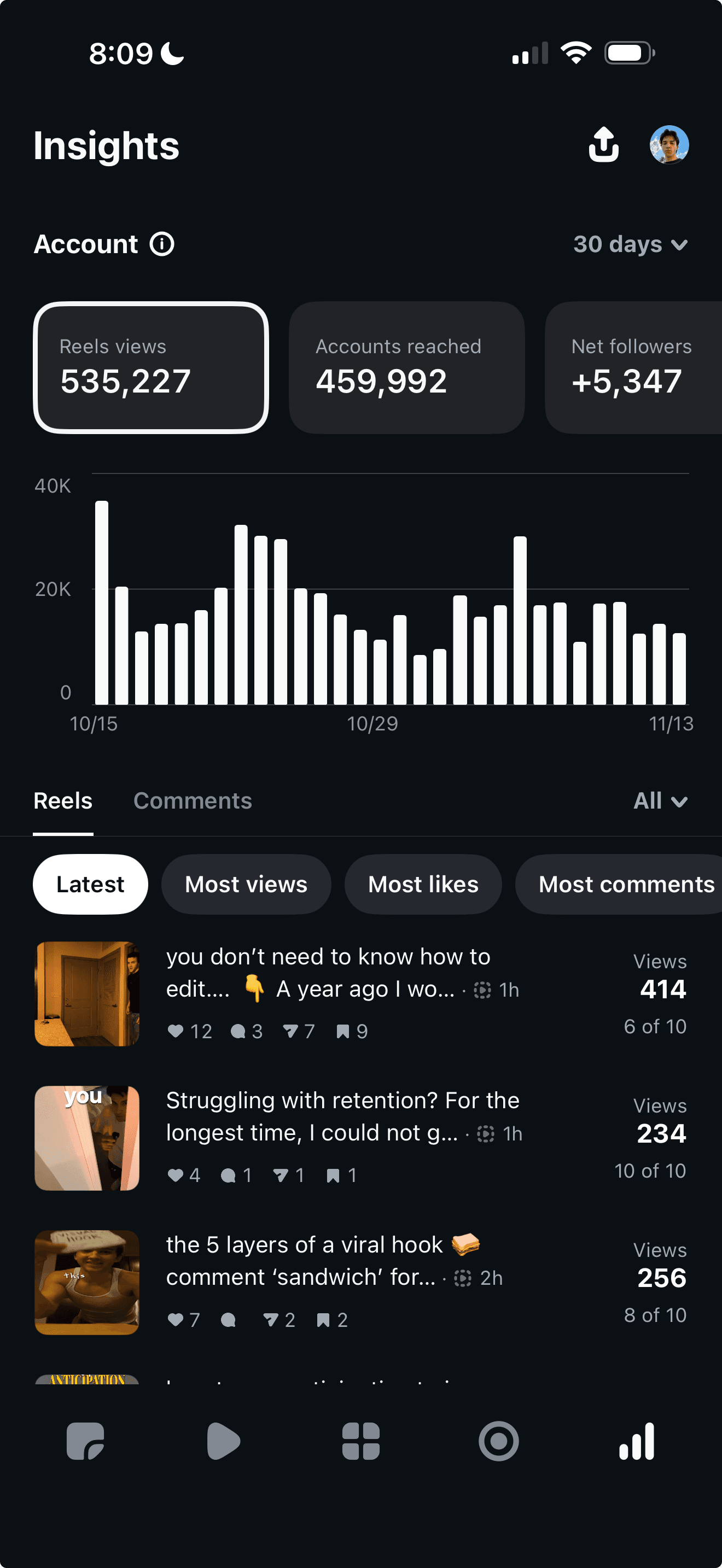
Go to the bottom menu → click on any video → scroll to the bottom to see it’s retention graph.
Below is the four most common retention graphs, none of these are perfect but a means to show you the issues and how to fix them:
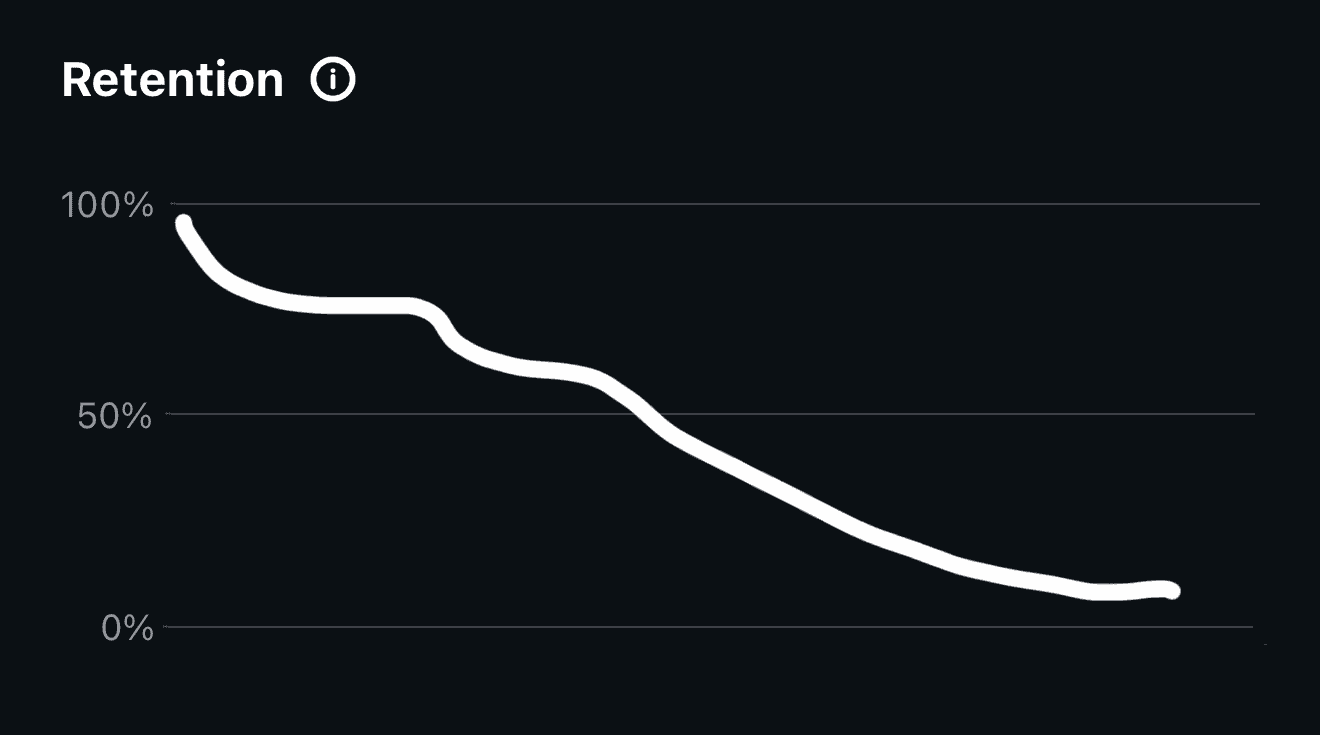
This signals a good hook but bad value, try reworking the value section to be actionable in 24 hours and simply explained.
Add more topical advice and remove anything that convolutes the message.
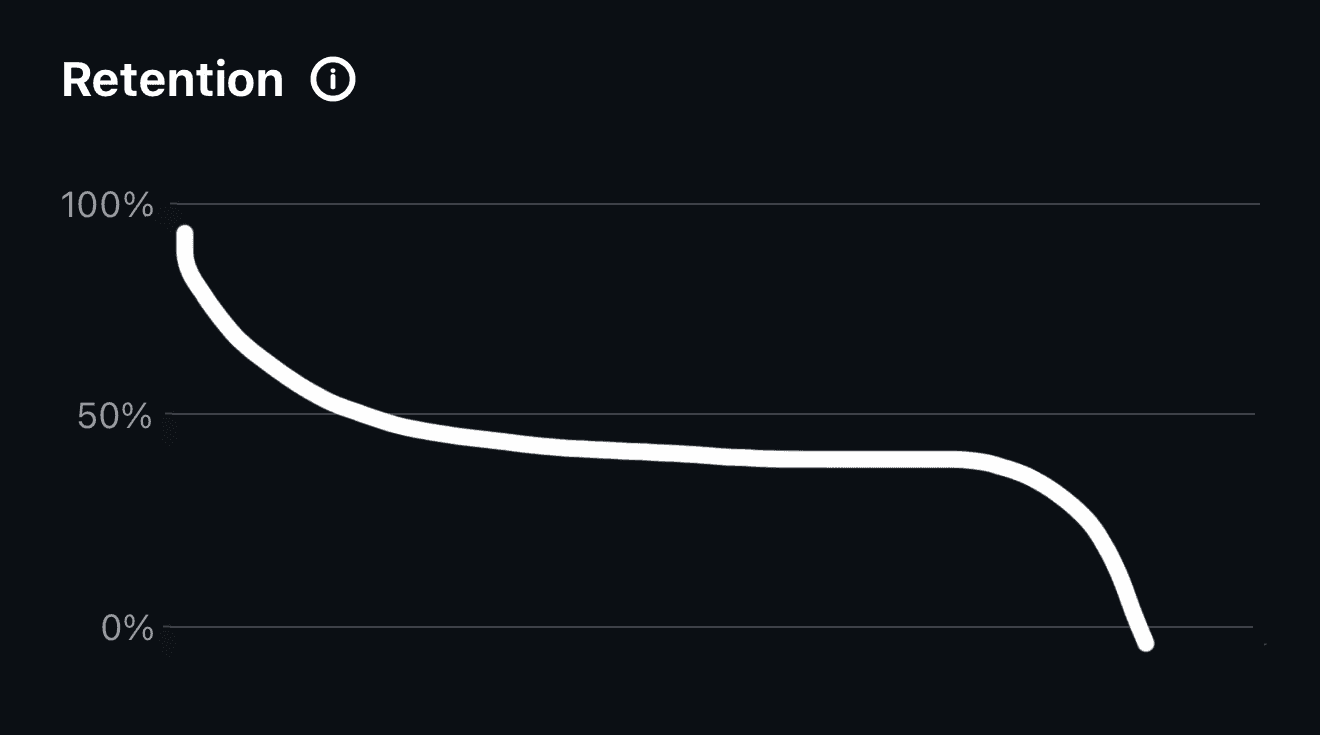
This is the signal of a bad ending. CTA wasn’t clear or it dragged a bit to long after the payoff.
Cut the dip and make the ending snappier.
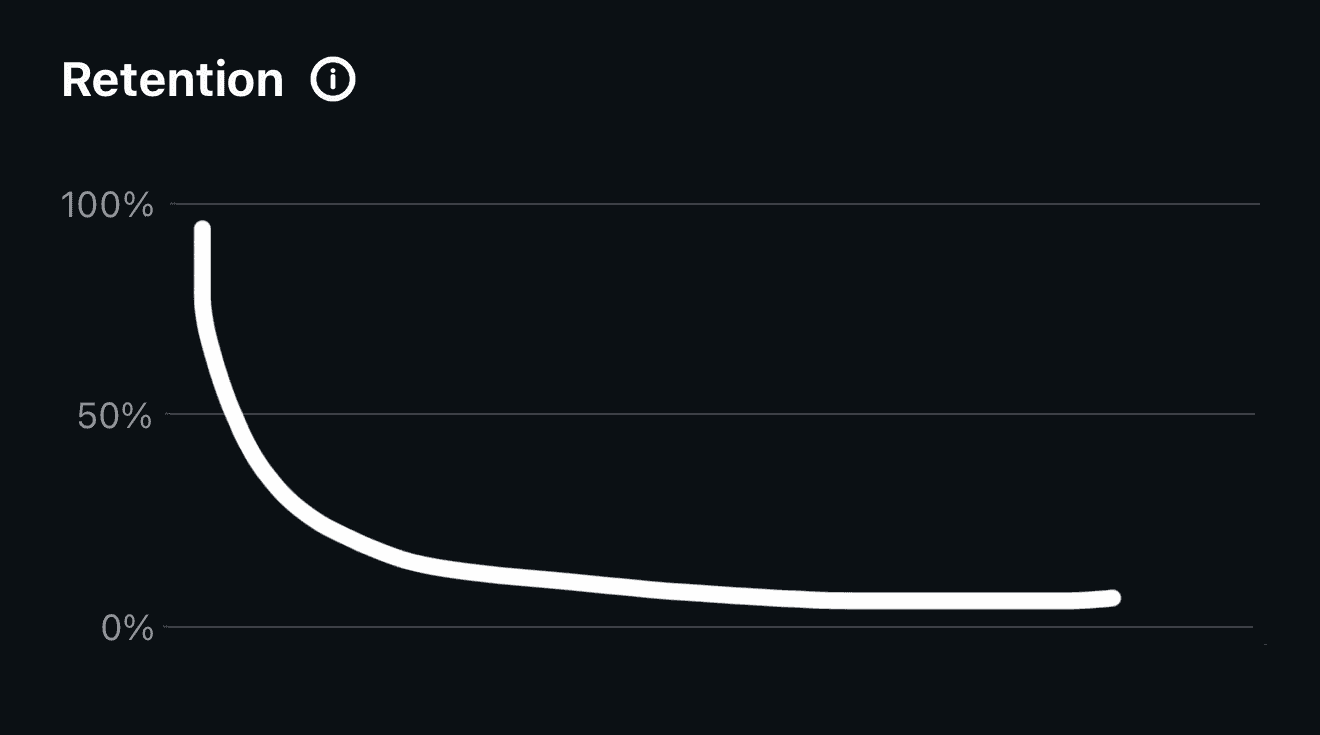
This means your hook was week and people scrolled away before the 3-5 second mark.
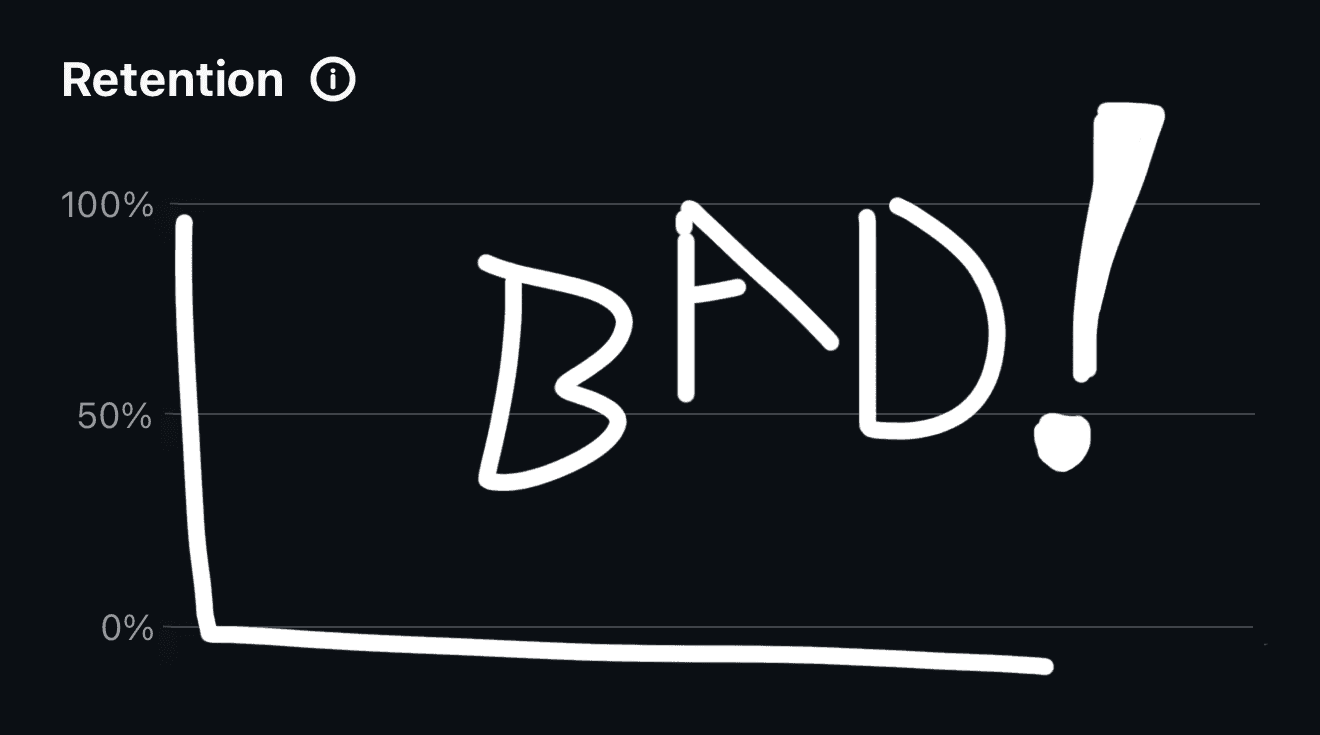
This is a bad video.
Take any shots / angles you like from this video and use them on a new idea.
Cross reference this video to a high performer and pinpoint the weakness.