Optimizing Instagram
This is your first impression to Instagram users and therefore any potential clients so we need to make it look nice.
1. USERNAME
The goal here is try and get as close to your actual name as possible while being able to stay consistent across platforms.
Keywords in your username make your account look templatized and sales-driven. Which is the exact opposite of what we want a personal brand’s essence to be.
jackson.presonalbranding
jackson.contentcoach
Aren’t these just disgusting.
Unfortunately @jacksonsword is taken by a random dormant account and odds are your name may be too BUT always try it first.
And if just your name is taken, heres example’s of a few I would consider:
byjacksonsword | jacksonswor.d |
|---|---|
jackson.sword | jackson_sword |
jacksonsw0rd | jacksonsworld |
Keep in mind we want your username to be similar across all platforms.
2. PROFILE PICTURE
Do. not. overthink. this.
Find a clear picture of yourself from the chest up, if you don’t have one take one, the ONLY thing you need to worry about is the visibility of your face.
PAST PROFILE PICTURE EXAMPLES



And do NOT create one of those stupid plain color behind your head, they are an instant signal that you have an offer and because of how many people have done that
For example, which one of these guys would you want to talk to:

Cool, nonchalant even, pretty sky guy OR:

Purple man.
YOUR USERNAME AND PROFILE PICTURE ARE THE ONLY THINGS THAT STAY CONGRUENT ACROSS ALL PLATFORMS.
The rest are on a per-platform basis as follows:
3. INSTAGRAM ‘NAME’
For your name on Instagram just put your name. (different than username, where it says “Jackson Sword.”)
Don’t bloat the aesthetic with ugly SEO, that is what keywords in your videos, scripts, bio, and captions are for. Let you content speak for itself.
SEO stands for Search Engine Optimization, which is what search engines use to figure out how to categorize data most effectively.
Think: Jackson Sword vs. Jackson Sword | Personal Brand Coach
Jackson Sword | Personal Brand Coach is trying to sell you something and you’re going to be less likely to follow him. While if you follow Jackson Sword and he asks if you wanted his help, you wouldn’t be as opposed.
4. INSTAGRAM BIO
Next is your bio, our goal here is to be authentic while weaving in SEO.
This means understanding the concept of audience matching and finding the keywords that are associated with your niche.
Once you have you keywords you want to incorporate them in a way that feels natural.
We’ll use me as an example following the best bio structure:
Line 1: Who you help / decomposing your goal
Line 2: Social proof related to offer
Line 3: DM CTA (Manychat) - “DM me ‘KEYWORD’ for help with x”
So, in relation to my offer, I’ve helped build out over 500 creator’s personal brands with proven content systems, strategies, and funnels.
Therefore my keywords would be: content, creator, and personal brands, content strategy, content systems, and content funnel
BUT those last three are a bit too vague and with out physically seeing what I’m talking about it’s hard to understand what that even means so it’s unimportant to prospects.
What IS important is knowing that I build personal brands and have done so for over 500 people. (see below)
GOOD VS BAD BIO EXAMPLE
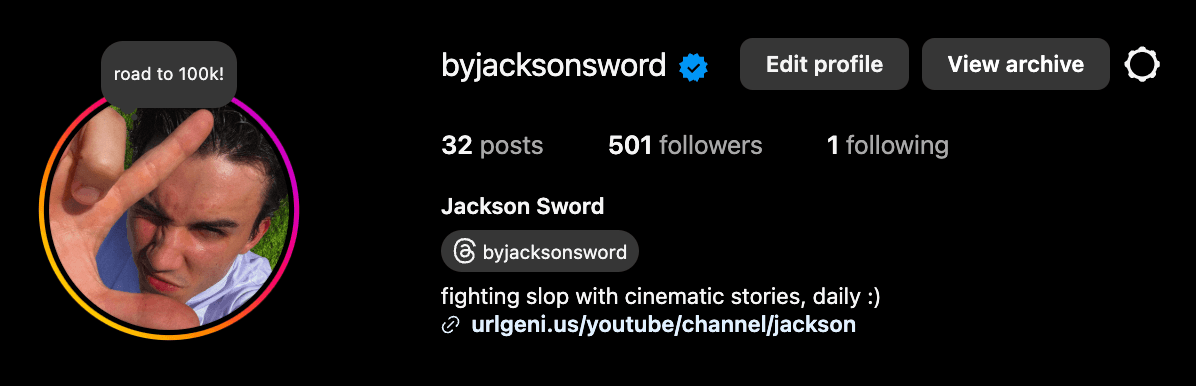
This is bad, not clear on value I give to whom, no social proof, and No CTA
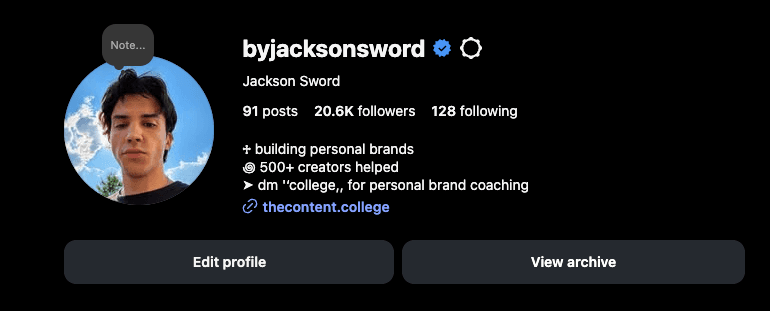
Clear value, social proof, and CTA.
5. STORY HIGHLIGHTS*

After you start (or if you already do) daily stories you’ll have more fuel for this.
Best practices are:
a Youtube link to nurture
Compilation of client results
Photos of your lifestyle, meals, workouts etc. (not as important)
We’ll cover story theory later. Just keep these in mind for later on in the course.
6. BEST INSTAGRAM SETTINGS FOR GROWTH
SWITCH TO PROFESSIONAL ACCOUNT (most important)
Go to Settings → Account Type & Tools → Switch account type → Switch to Professional (Creator or Business)
Unlocks insights, analytics, and growth tools.
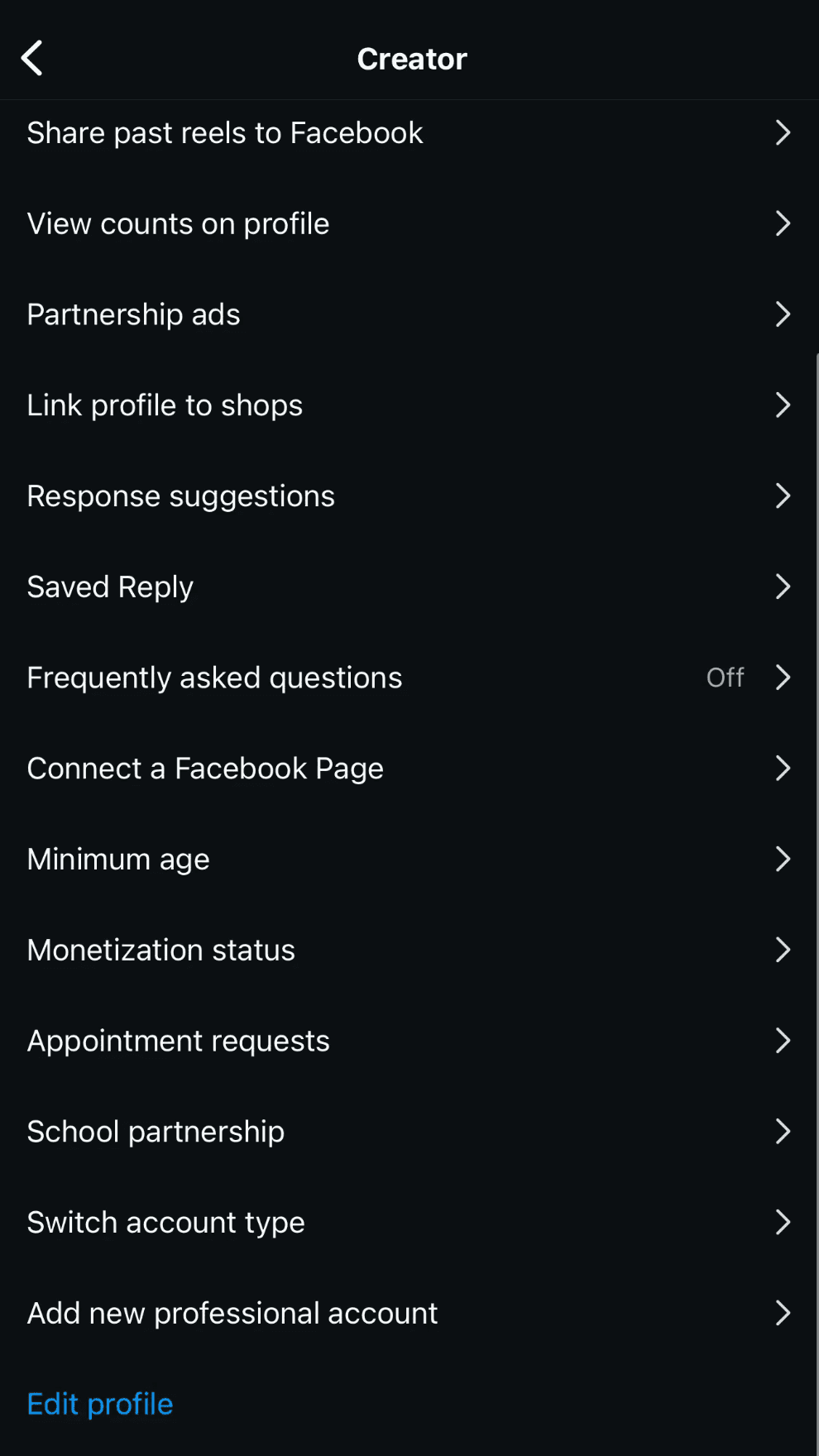
SET YOUR CATEGORY
Go to Edit Profile → Category
Choose a category that fits your niche. This further helps Instagram recommend you to the right audience.
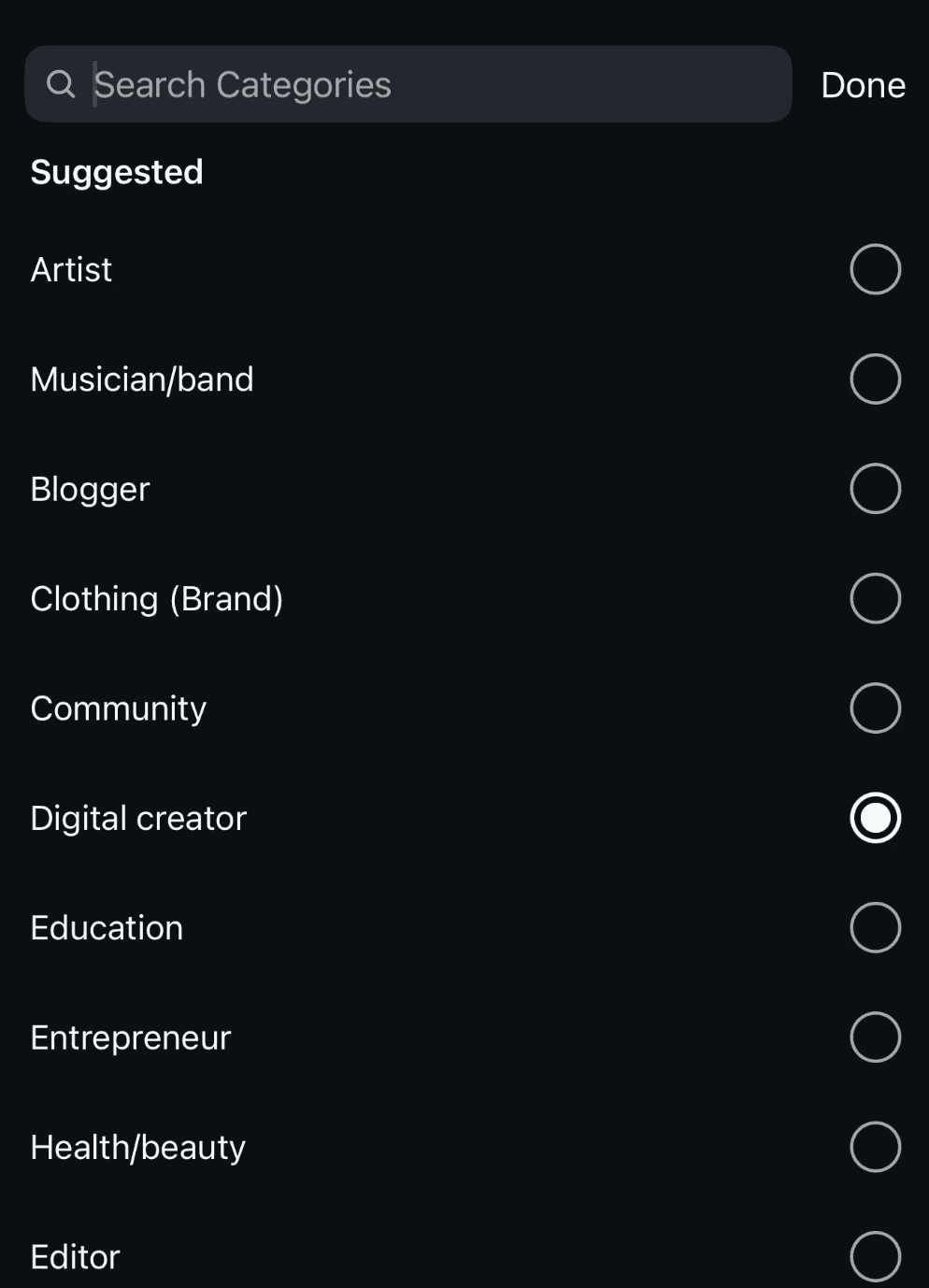
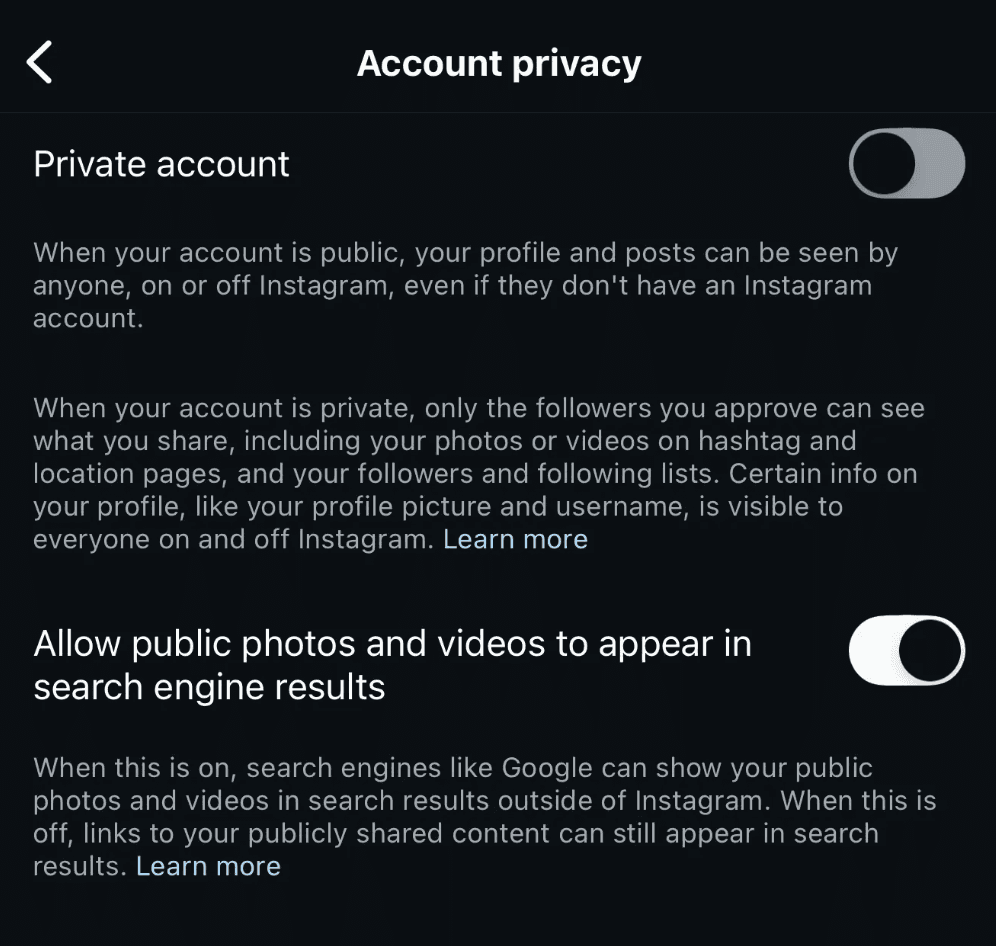
SHOW UP ON GOOGLE SEARCH
Go to Settings → Account → Privacy
Turn ON “Allow in search engine results”
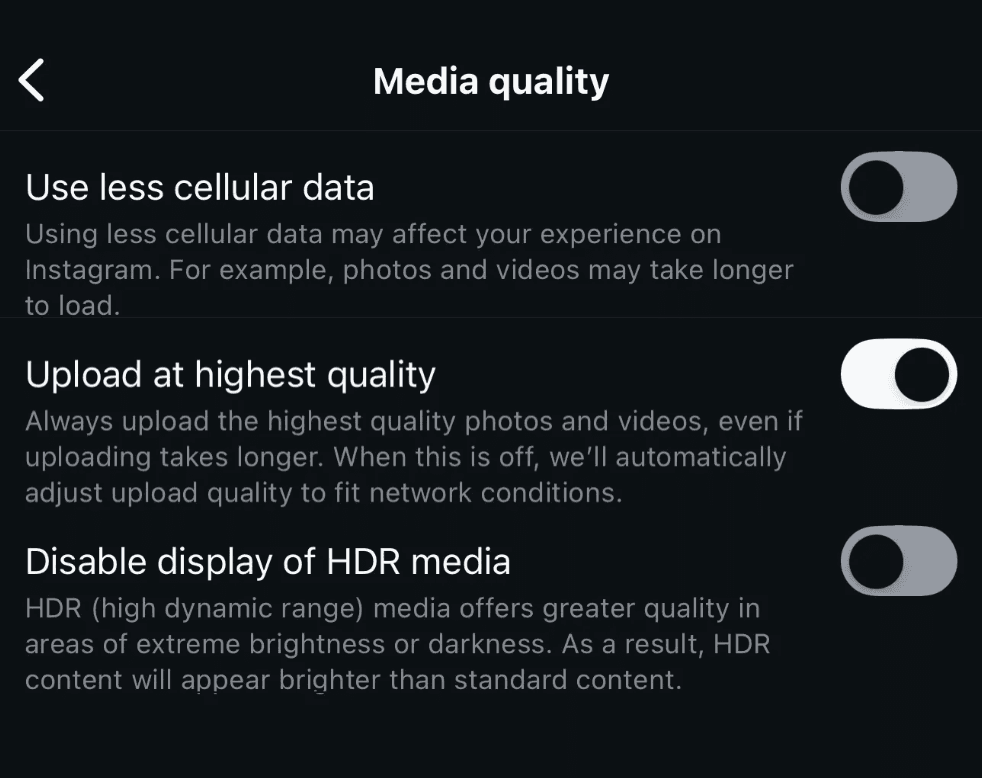
MAXIMIZE VIDEO & PHOTO QUALITY
Go to Settings → Data Usage → Media Quality
Turn ON “Upload at highest quality”
Turn OFF the other two toggles.
GET PROFILE RECOMMENDATIONS
On Desktop, click “Edit Profile”
Turn ON “Show account suggestions on profiles”
This boosts discovery by getting your account recommended on similar profiles to your own and help’s Instagram understand what niche your in.

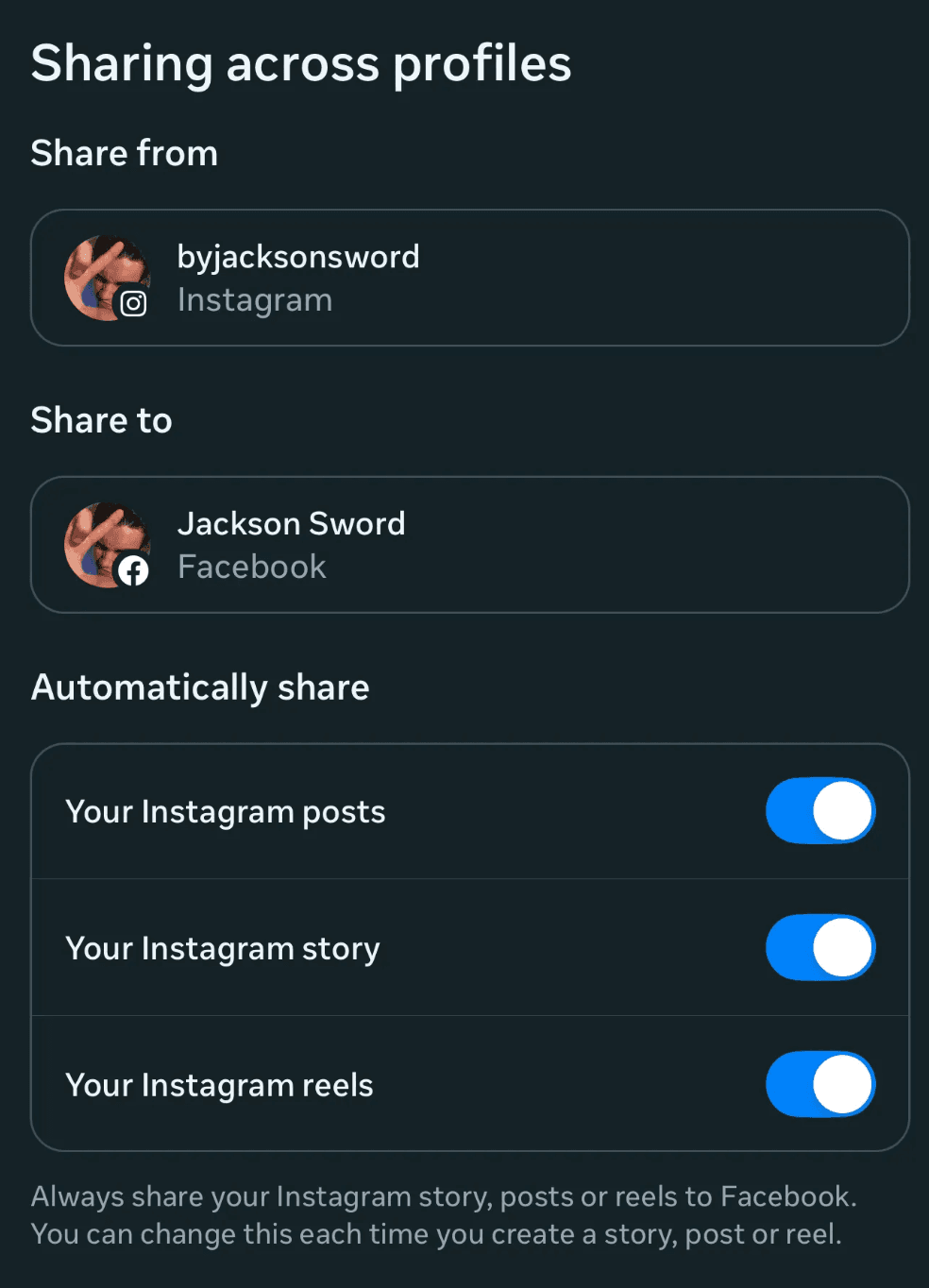
CROSS POST REELS TO FACEBOOK
The reason for this is the same reason we post on YouTube and TikTok, free views for the same amount of work.
Go to Settings → Accounts Center → Sharing Across Profiles
Turn ON “Recommended reels on Facebook”
The goal of everything we've set up this far is to optimize the conversion rate of your account:
To find these values for your equation navigate to:
Follows > insights > total followers
Profile visits > Insights > accounts reached
Keep in mind this will vary depending on a multitude of factors (ticket price, offer, funnel, etc.)