Landing Page
The main purpose of a landing page is to show people a video sales letter (VSL), get them to book a call, and reaffirm that decision with testimonials that you gather from past clients.
We have a template for this: FRAMER PLUG AND PLAY LANDING PAGE
Copy this template into your Framer and fill it out with the information from your pitch deck. There’s literally infinite customization here. To get an understanding of how it works watch: 18 Minute Framer Crash Course

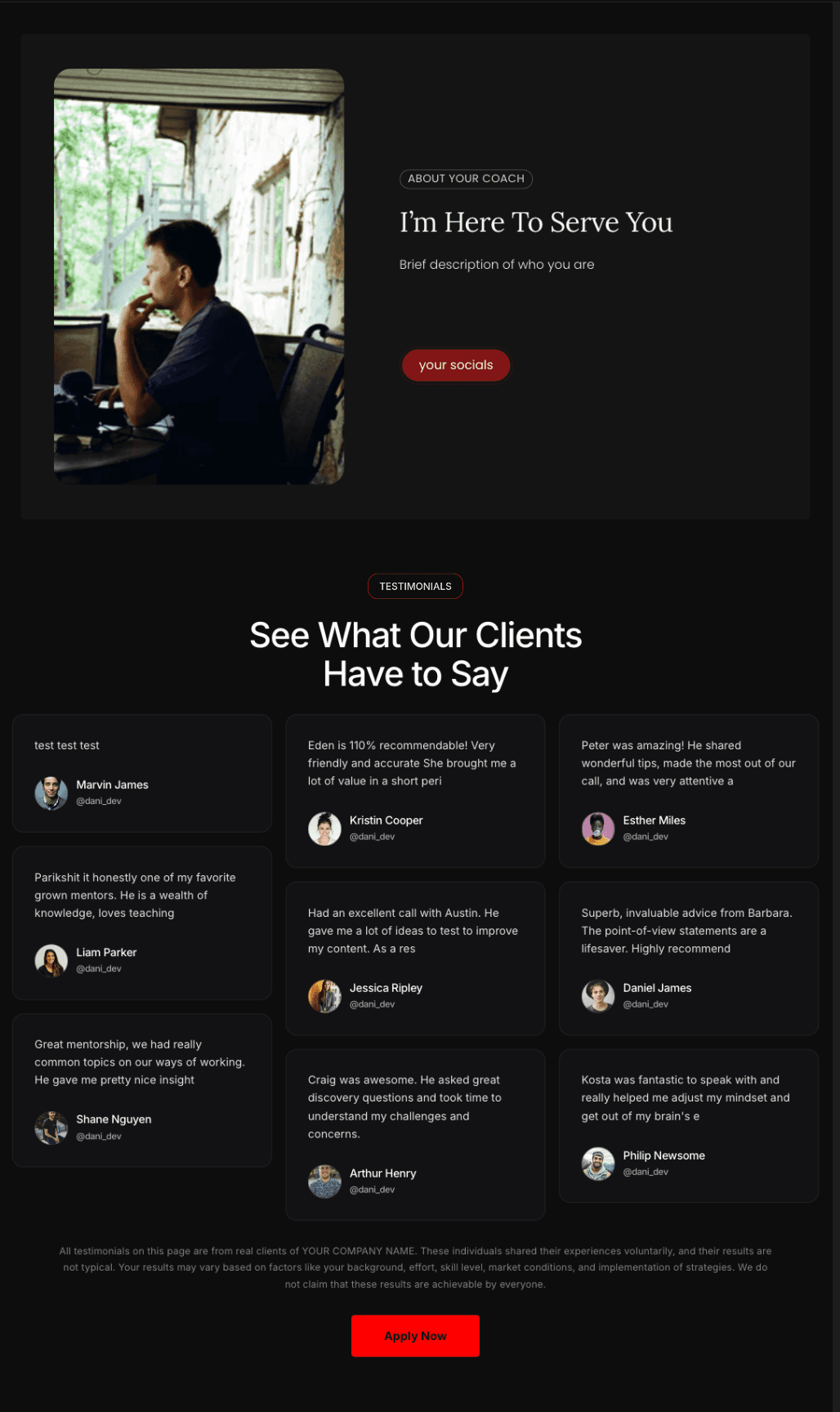

To get people to your landing page:
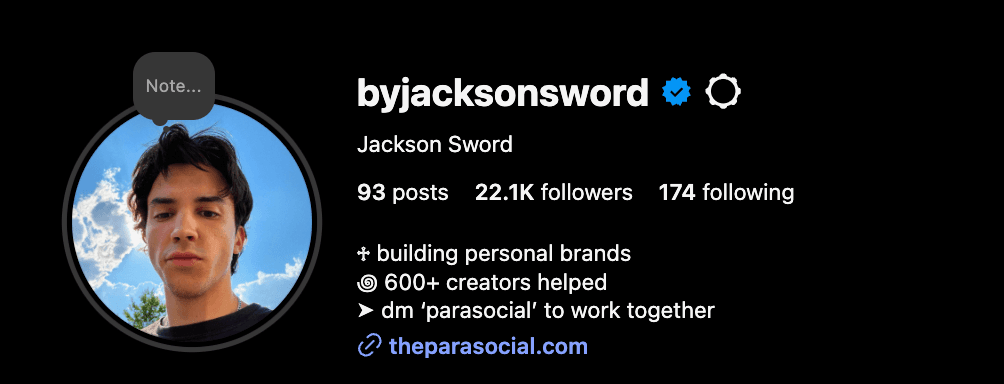
Make it your link in bio: (on all platforms)
Post CTA’s on your stories that lead people to the page.
Example: “I’m looking for 5 people who want to results like this: (client results.) DM “now for more details.”
“Now” DM → qualify over dm’s → landing page with VSL
Use appointment setters to send people there. (paid service)
These are people you hire to “set” appointments from your profile.
They work great because they only reach out to your ICP.
(talk to Jackson for more details if interested.)
BUILDING YOUT VIRTUAL SALES LETTER
The goal of the VSL is to nurture prospects to buy your program by educating them and getting them to like you before they hop on a call.
All prospects must watch the video before getting on the call, send to them if they book without look at the VSL
Do not sell the process of your product, sell the idea of them working with you
How can you portray a story so that they can bond with you over their insecurities and fears
How can you make so they only want to work with you and only you for this specific problem
70% of the VSL should you be you talking about your story, the other 30% should be handling objections. (20-30 minutes in length.)
VSL Structure
Hook
Focus a lot of time here as if you nail this, your retention rate through the video will be much higher
Callout: “If you’re interested in achieved [desired outcome] without [common pain point 1] , [common pain point 2], and [common pain point 3], I made this for you
Transformation
The goal here is to make your story so relatable to them to make them say “damn this guy was exactly like me”
Intro - this is the beginning of your story. What made you actually start? What was the moment that you decided to take the on? Tie this to the viewers current situation
Failure - You wanted to achieve [desired outcome], so you tried a bunch of different things but they kept failing. This is their rock bottom, it couldn’t get any worse than this
Pain - This is everything they were struggling with at rock bottom. Use all of the pain points your ideal client is experiencing. Exaggerate a little bit
Talk about how you felt, go through specific scenarios, make it emotional
Solution - But they they had a big realization that changed everything. This is the solution to their current situation that would get them to their desired outcome. The big epiphany
Transformation - This one solution took them from rock bottom to the top. Now they have their big desired outcome and everything they’ve dreamed of. Really paint the picture of the desired situation here
How they felt, what it meant to them, how others looked at them, etc
New program - now the you (the creator) is launching a community/program to help others achieve [DESIRED OUTCOME] in [time period] “But the community is not for everyone…”
Case studies + testimonials
GOAL: Get them to want to know how you’ve been able to generate such insane results. This will keep them hooked for the rest of the video
Now that they know your transformation, they need to know you can do it for others
Bombard them with your best client results, testimonials, and case studies
Make sure you go over each client’s story , their current situation before, problems they were facing, how they got past it with your help, and how they feel now at their desired solution
Call out
GOAL: make your ICP feel like its for them. If you do this well, they will be hooked and sold on your process regardless of what your offer is
Example: if someone shouts HEY you might turn around and keep walking but if someone shouts your name you are going to be a big more intrigued and try to figure out whats going on
Who is this FOR
State 5-10 points here, the more you can describe how they’re feeling and their current situation, the better
This is for the people who are tired of expensive personal trainers
This is for people who are tired of extremely slow progress
This is for people who are action takers and implement advice fast
Who is this NOT FOR
State 5-10 points here, describe who you want to avoid in the program. Boost your ideal client’s ego a bit and make them “Yeah thats not me”
This isn’t for people who think they can get 10k followers overnight
This isn’t for people who think they’re smart enough to do it themselves
This isn’t for people who can’t take criticism because of their ego
Why our offer is different
You need to categorize your product as a one of one product
This way they can’t compare with your competitors, check the prices, etc
State what part of your offer will help them and emphasize that no other person is offering the same thing or the same combination of thongs
Package it in a way that makes them feel stupid for not working with you
Biggest lie
You don’t need to scale this business by yourself or invest thousands into a coach that tells you what to do
You’ll be stuck spending hours doing low level tasks like appointment setting, close, and prospecting
Done for you
Work with people that do it for you that have a proven track record of scaling coaches to x/month in any niche possible
Unsustainable
This will drive you crazy as you try to send 100 outbounds everyday while taking 10+ sales calls. Instead of digging yourself in a hole with a single digit bank account and days wasted
Strategy
All you have to do is a tiny bit of marketing and fulfillment for the service. We take care of the entire sales operation so you don’t have to send any messages or take any calls while adding an extra 50-100k a month
4 step process
Now that we’ve described their current situation better than they can, blamed their past failures, and convinced them why our product is going to work, we have to sell them on the process
Go over a 4 step process your ICP would take to get to their goal
Go specific and in detail and make it different from your competitors
Have cool names and unique mechanisms and stuff
Next steps
At this point, they should be sold. They believe in the process and want to give you money
Now you want to give them the next steps to more forward whether its telling them to
Fill out a type form
Great for B2C and qualifying bad leads
DM you a keyword on IG
Great for B2C and qualifying bad leads
Book a call straight away
Great for B2B
Setting up your booking link
Go here to set up your Cal.com booking page: CAL.COM SETUP
Here’s how to set it up to automatically qualify the leads that come through your landing page:
Go to the left most side of cal.com and click on “Event Types” → go the top right and click “New.”


Title the call something like “1-1 w/ [Name]” or “Growth call w/ [Name]” (make sure the URL matches this)

The default location is Google Meet, this is fine or you can switch it to another online meeting software.

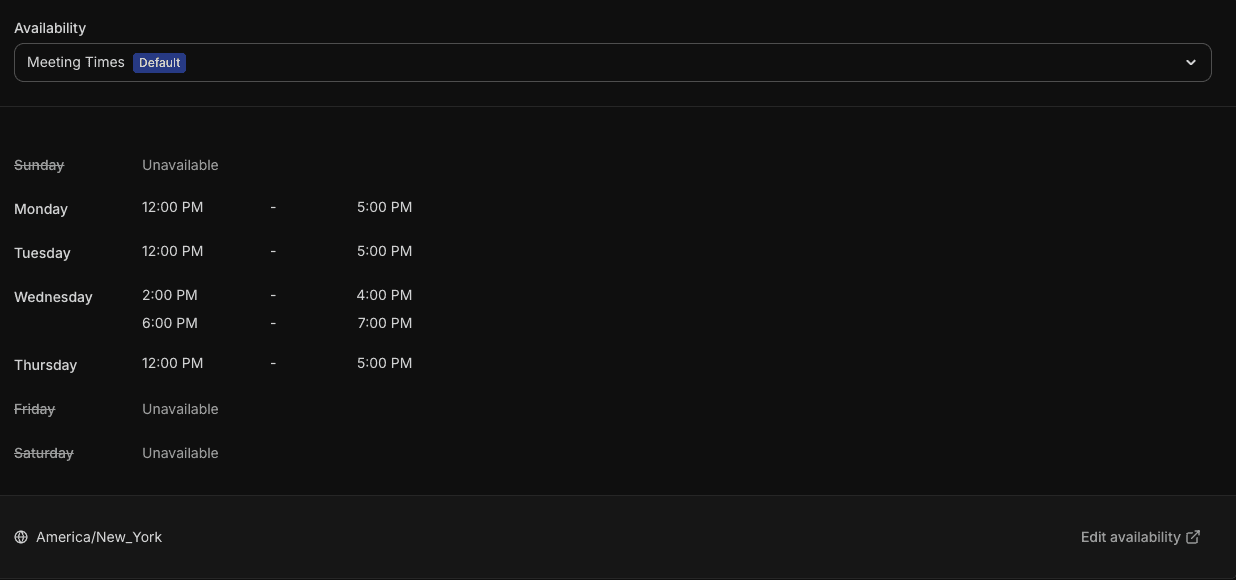
Set your availability, best practice is set a few hours aside each day where your in “call mode.” This helps fit the calls into your schedule and get you into a routine. Edit times by pressing “Edit availability” in the bottom right corner.
Under “Limits” set your buffer times and minimum notice according to your schedule, these are my settings:

Under advanced is where we need to make the most changes:
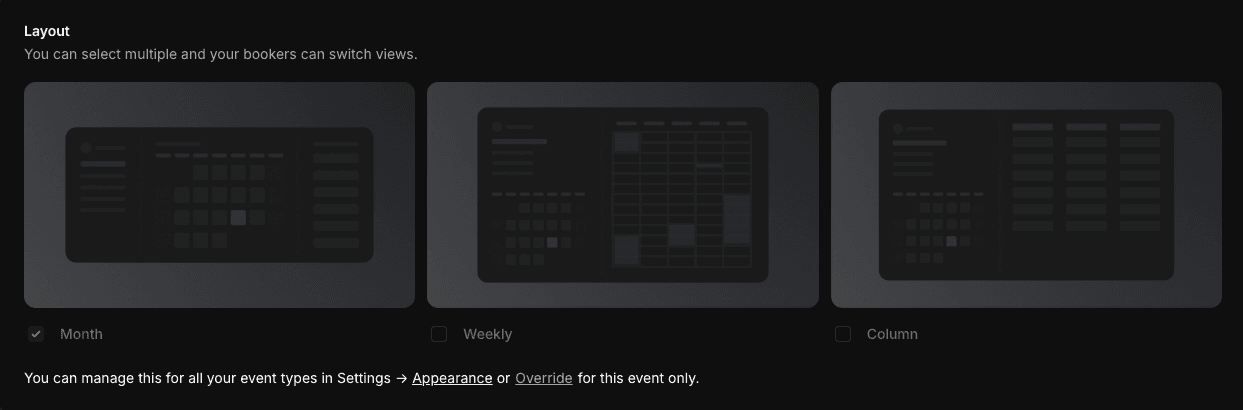
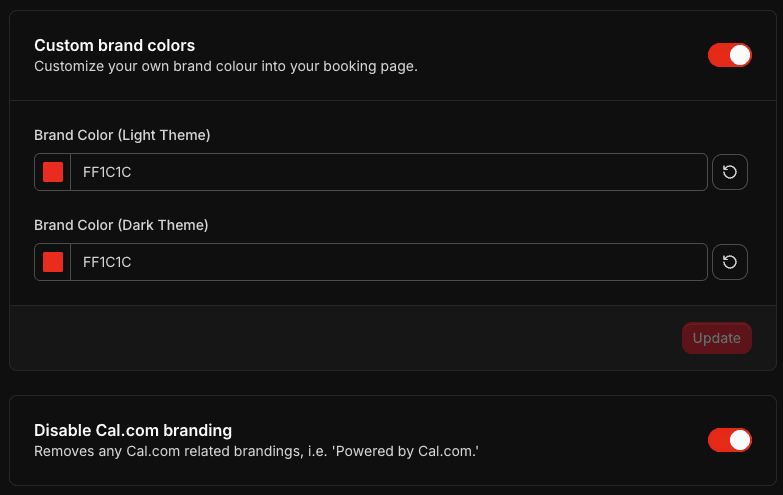
First is Layout navigate to appearance → scroll down, set it to monthly → set your brand colors and disable cal.com branding.
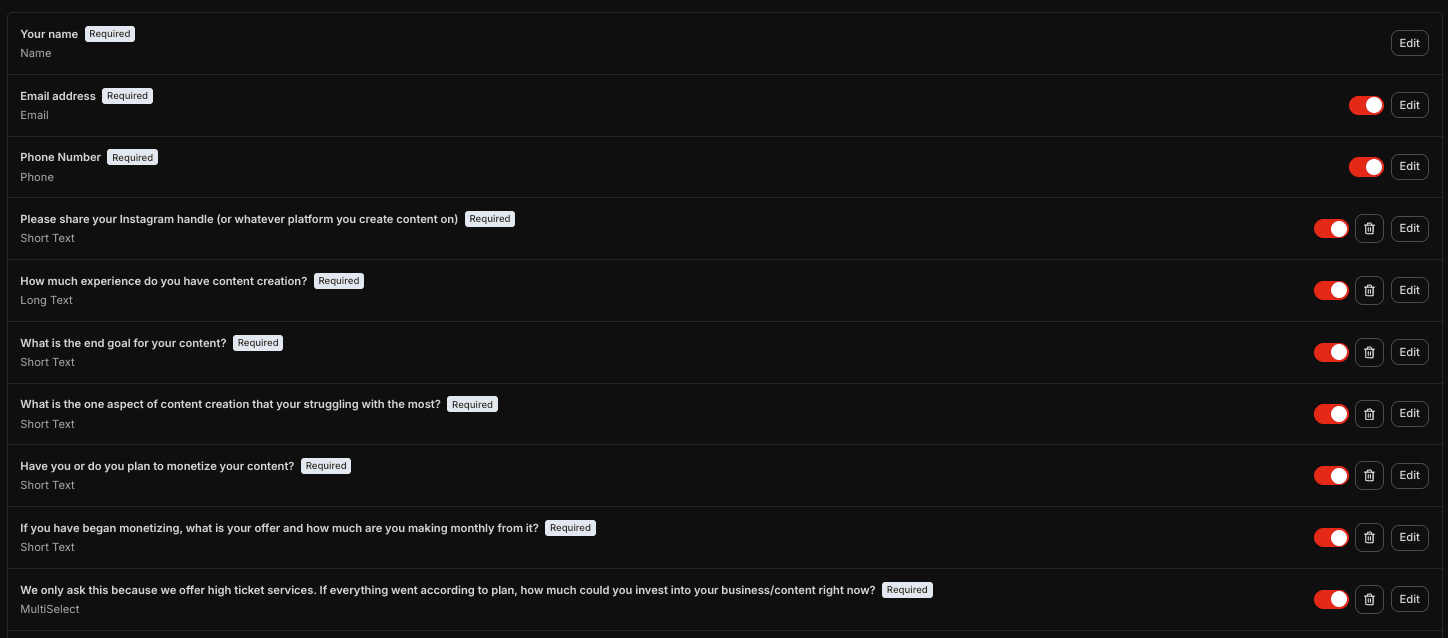
This is where you add your qualifying questions as well, use mine as a template:
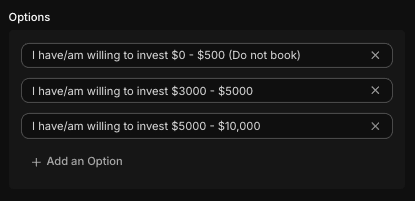
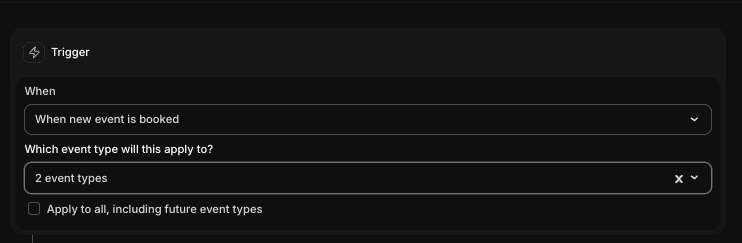
Lastly under workflow set up reminders for text and email. I use the default “reminder” template given by cal. (I have texts being sent 24 hours, 2 hours, and 15 minutes before as well as an email on booking and 12 hours before. The more touch points the better.)
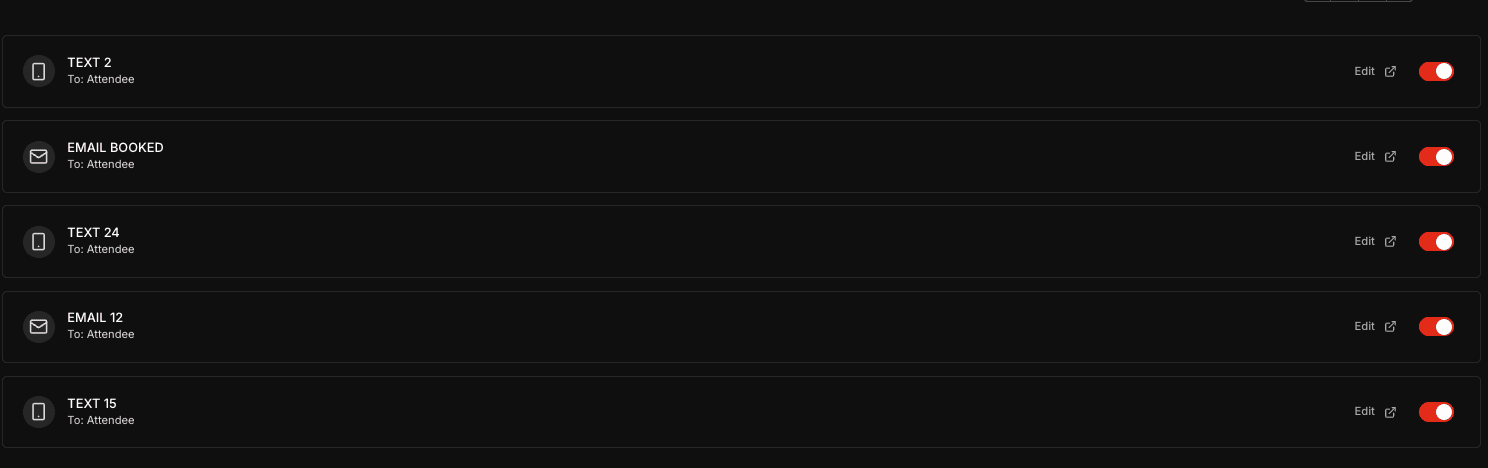
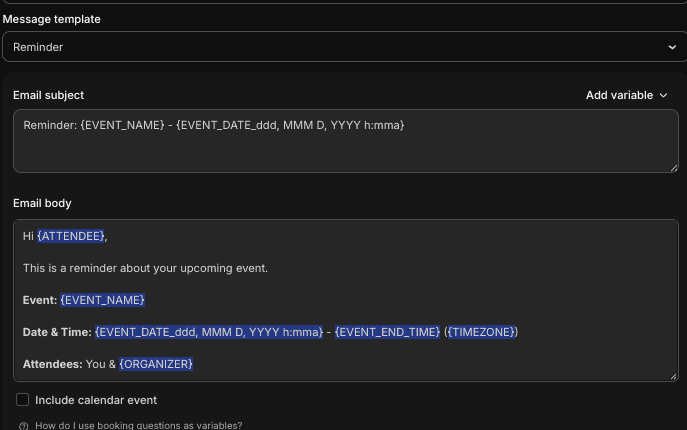
When creating the reminders, set the trigger to the event you just set up. Also make sure that the notifications are being sent to attendees, not just yourself.