Storyboarding
I’m convinced storyboarding is just THE way to get good at cinematography. Because in actuality, with the integration of AI into literally everything, no camera shot impossible.
With that being said, if someone reads this course and then makes horrible AI slop, I will have failed as a creative director.
So whenever you can, use practical effects. They always look better, and even if they don’t those little mistakes are what make your videos feel authentic.
Now storyboarding is just conceptualization on paper.
It’s immensely helpful to understand composition and angles BEFORE you plan them out.
With that being said: references.
INSTAGRAM (other cinematic creators) | COVER JUNKIE (as mentioned previously) |
These three websites are my go to’s for finding the cool Jackson Sword shots you grown to know and love.
So go peruse and when you see something cool → save it and consider how you’d go about recreating it.
And don’t get me wrong, a lot of my angles are just thought of on the fly while filming:
I notice this happens outside mostly because it’s pretty tricky storyboarding for places you haven’t seen. In these cases I stick more to the principals you read about in module 5.
BUT when I am filming in a known location I always take the extra 20-30 minutes to draw the video out.
This provides clarity when filming and makes it infinitely easier to edit. (the flow and pace are pretty much done for you.)
And I think the reason I’m able to come up with cool angles so effortlessly is because of how much I storyboarded when I first started.
Still, the question remains: how do you actually storyboard?
Welp get out that journal and let’s begin.
Try your best to have all your storyboards in one place, they’re nice to look back on every know and again. These are what mine look like: (I’ve included the video that this storyboard was made for as well.)
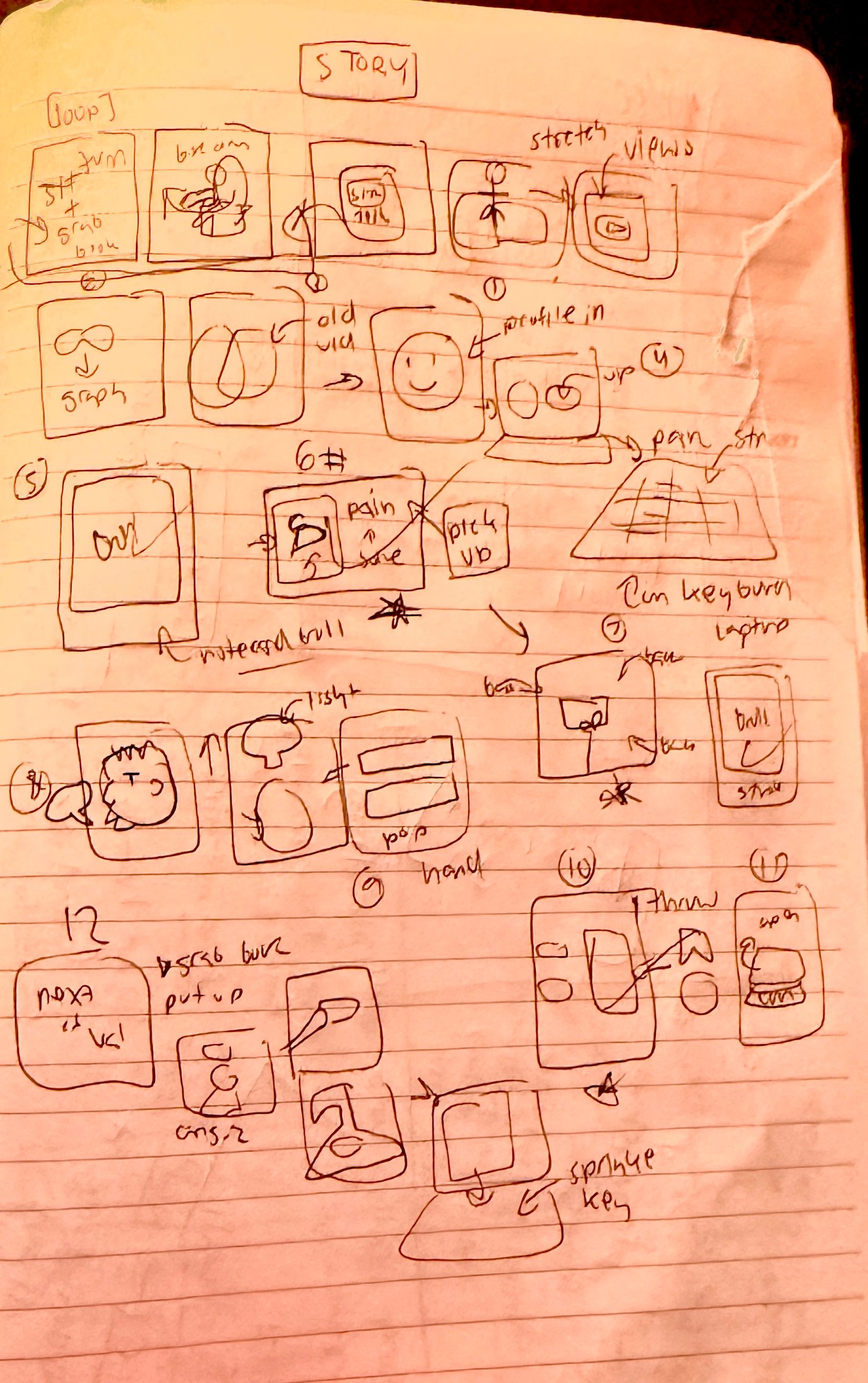
Now when I’m storyboarding I spend the most time on the hook.
But the main storyboarding structure I follow is:
A minimum 3 shots or rapid movement at different angles with eye catching visuals for the hook. The goal is some shot I’ve never seen before that makes people brains happy.
After that it’s just an alternating pattern of talking head shots, prop shots, unique shots, and acting or b-roll shots for the rest of the script (depending on what best aid’s in the viewer comprehension of the script)
With each of the shots being varied through:
different camera lengths (wide, medium, and short)
combined with high, middle, and low angles.
YOU ALSO WANT MOVEMENT AT THE START OF EVERY SINGLE SHOT. WALKING IN OR OUT OF FRAME. JUMPING. MOVING YOUR HAND. THESE COMPOUND AND GIVE YOUR VIDEO LIFE.
Always, always, ALWAYS having a loop. They’re so easy to pull off, especially when your storyboarding.
I basically just look at the action I did in my hook and then think of what would come before it to make it seamless. I then record the last line before my first in one clip and clean it up in editing.
Other things to consider:
If your moving from one location to another, show that journey visually. (unless the point of the shot is heavy contrast.)
It would be jarring if you went from your bedroom to the top of the Eiffel tower, but if you went from your bed → uber to airport → airport → plane → walking on a Paris street → to the Eiffel tower, the viewer would get the gist.
When thinking of transitions in a specific location consider the actions before and after each shot. What would help the viewer connect the actions from you on your bed → your desk?
Prop shots are visual storytelling’s best friend.
Say you had the line: “But then our tired popped! And we had to pull over on the side of the road.”
It would be really cool to get a match box car, use a match to get some fake rubber smoke, and the move it with your hand to a road you drew out on a piece of paper.
More effort? Yes. Way better than random b-roll? Yes.
The more effort people perceive that was put into your video, the more they’ll respect you as a creator.
So if you have a line like: “I was doomscrolling for hours.” You COULD just have a medium shot of you on your phone OR you could have a close up shot of you trapped in your phone screen, screaming for help. It’s all about going that extra step, every time.
We’ll go more in depth on cinematography and camera presence in the next module.

This pattern makes the visuals natively engaging on top of the added bonus that pace is built in. It also makes your editing better by default as you don’t need transitions if the shots are already planned to go together.
Here’s the basis of what I ask myself for each line:
Whens the last time the camera saw me talking?
Would the use of a prop display this idea better?
Do I have b-roll of me during this time period I’m talking about? (e.g. “3 months ago I…”)
How can this flow better from the last shot?
Does it need to flow? Or would a hard cut work better?
How can I make this shot more visually engaging?
When is the last time I did a unique shot? (clone, POV, shot that was inspired by a reference, etc.)
Am I starting with movement while still ending up in the center to ensure composition?
Now, how do I EXACTLY figure out what shot should go with each line?
I have no idea, it literally just comes to me and that’s just going to take practice.