How
At this point you should have a really solid idea of why you want to make content and who its for as well as what the brand itself will look like.
Now how are we going to produce it?
Firstly, cut out the idea that you need expense equipment to make good content. I reached 20k in 100 days on my phone.
Here is my gear list that ranges all the way from budget to pro:
Gear Wish List
1. Cameras / Lenes
Name: | Link: | Price: |
|---|---|---|
Phone | N/A | Best choice if already owned |
Sony Alpha ZV-E10 | $820 | |
Sony Fx30 | $2,829 | |
Sony Fx3 | $4,200 | |
Sony 11mm F1.8 Ultra- Wide | Sony E 11mm F1.8 APS-C Ultra-Wide-Angle Prime for APS-C Cameras | $700 |
DJI POCKET | $800 |
2. Tripod / Stands
Name: | Link: | Price: | Tier: |
|---|---|---|---|
Small Rig Magic Arm | $20 | Low | |
Tripod | $30 | Low | |
Joby Gorilla Pod | $40 | Medium |
3. Mic
Name: | Link: | Price: | Tier: |
|---|---|---|---|
iPhone | iPhone 6 inches away from mouth, voice over or live if you have a camera | $0 | Low |
DJI Mini Mic | $170 | Medium | |
R0DE Wireless ME | $150 | Medium |
Light
Name: | Link: | Price: | Tier: |
|---|---|---|---|
Soft Box Key Light | $50 | Medium | |
Natural Lighting | a window / going outside | $0 | Low |
Lighting Setups

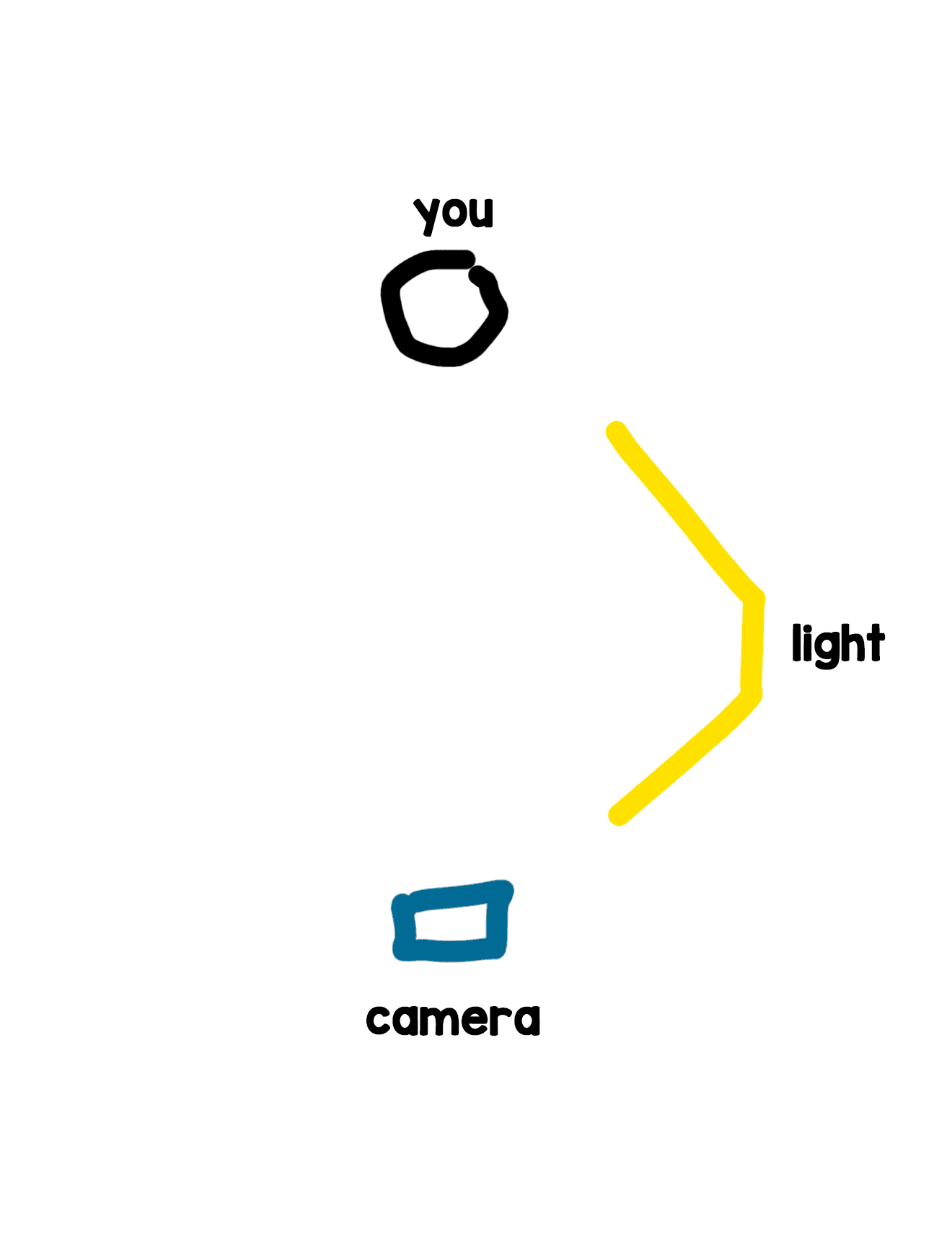
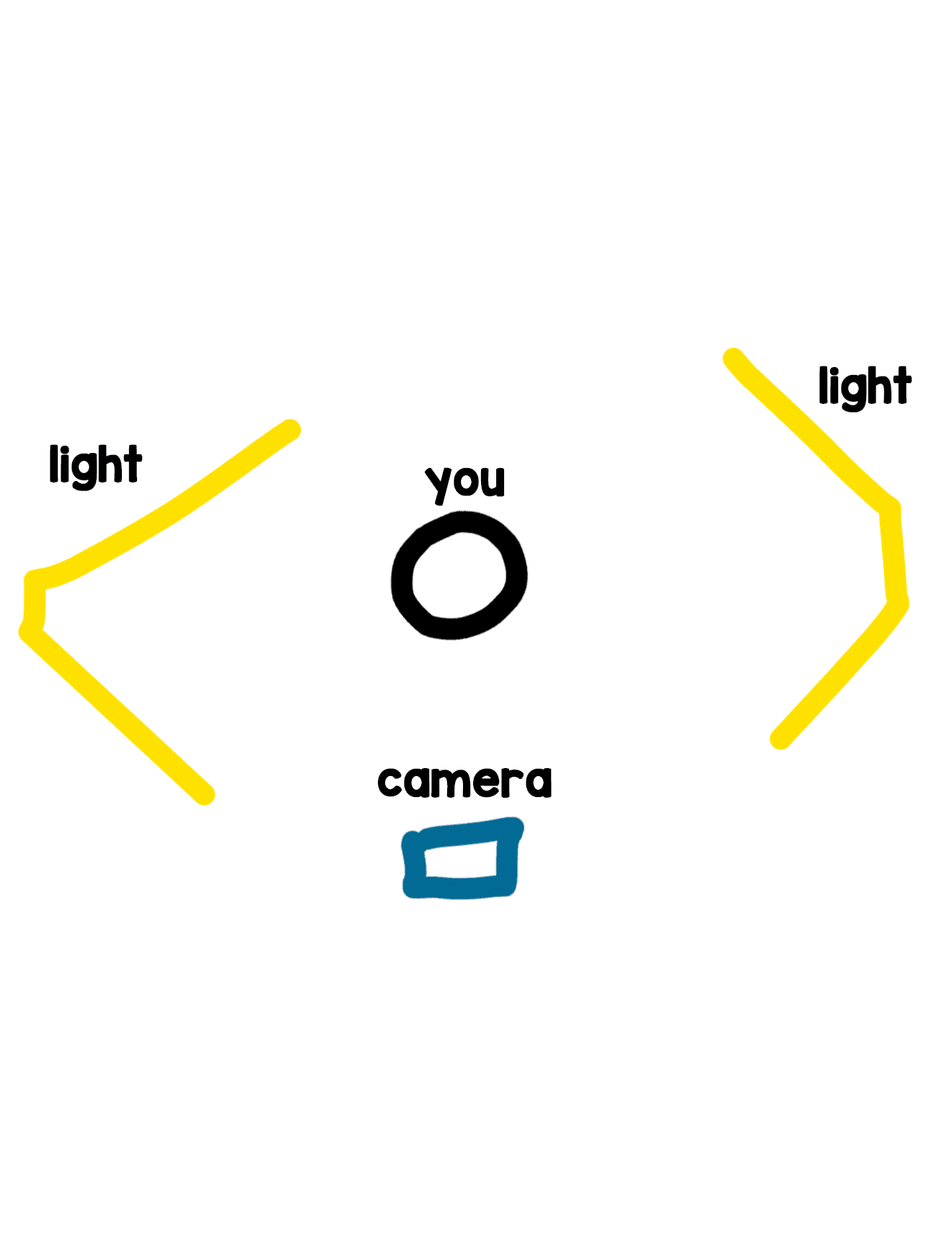
Getting the best camera quality on your phone
These are the best native camera settings on iPhone
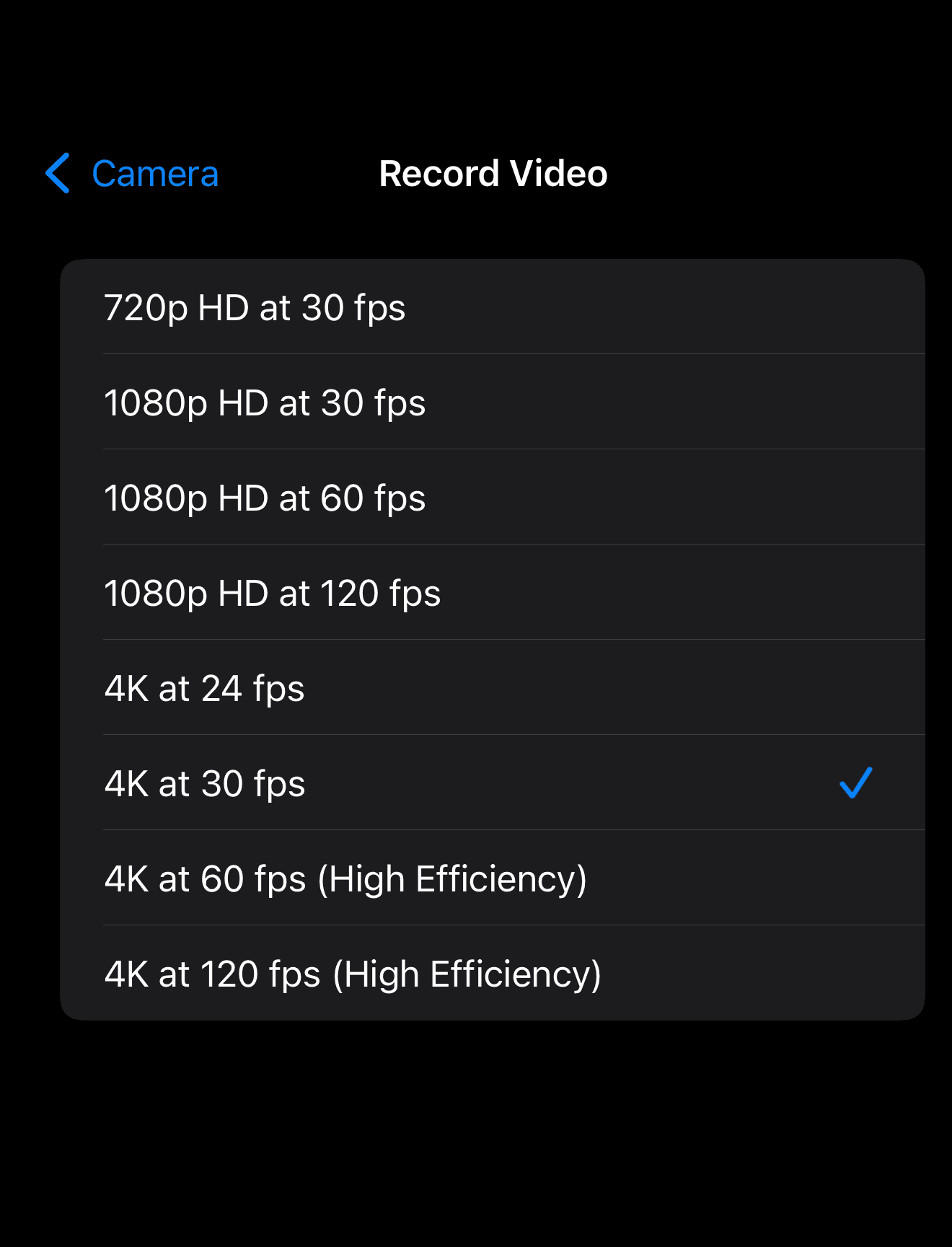
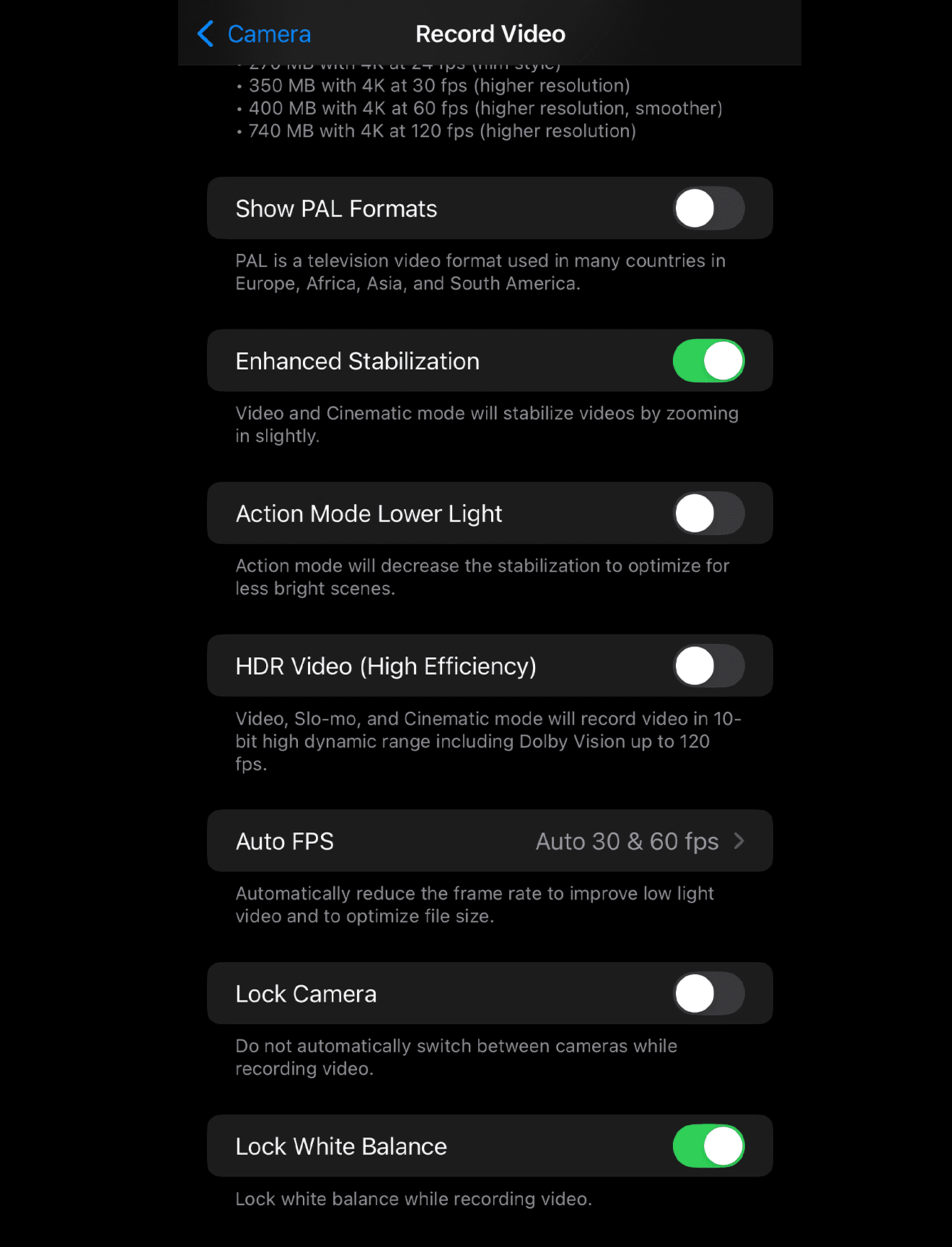
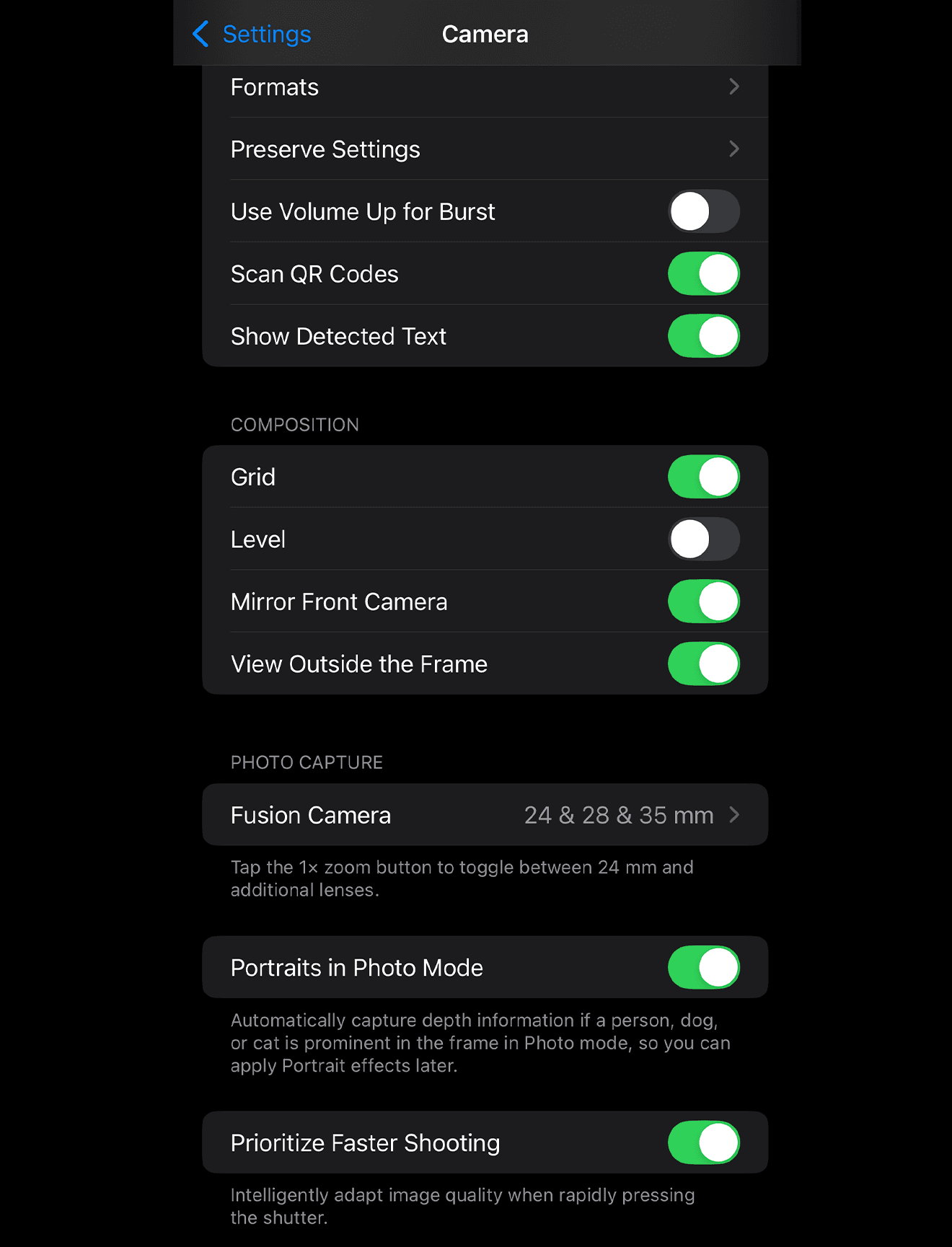


But we’re going to go a bit more in-depth than that..
Download the BLACK MAGIC CAMERA APP
This is how you get the best quality footage from your phone camera.
You have two options for which Codec to film in:
If you have an iPhone 13 or later you can shoot in Apple ProRes 422 (HQ or regular)
The only downside is that these RAW files are HUGE so you’ll need to purchase an external hard drive. I use this one: SANDISK
SETTING UP FILMING TO AN EXTERNAL DRIVE
In Black Magic go to Settings → Media
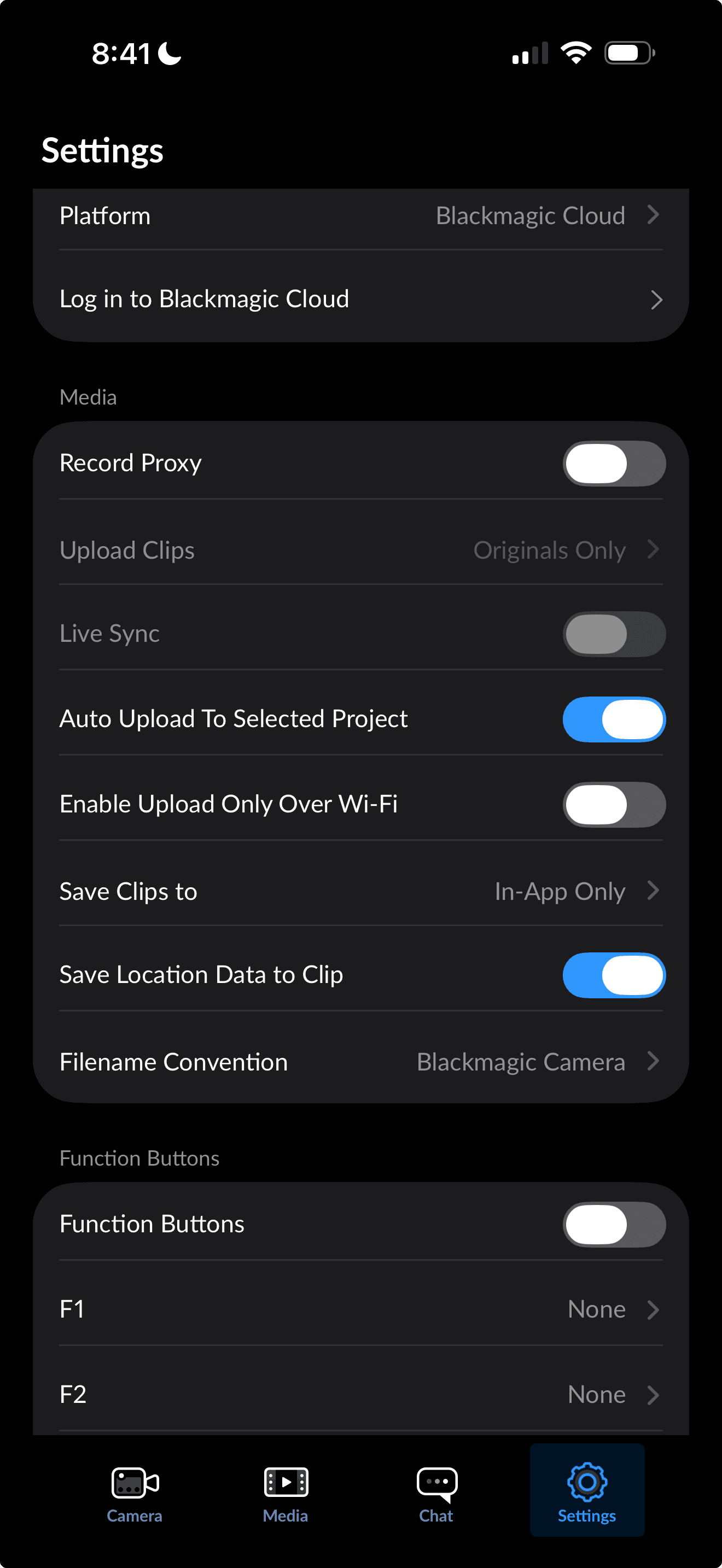
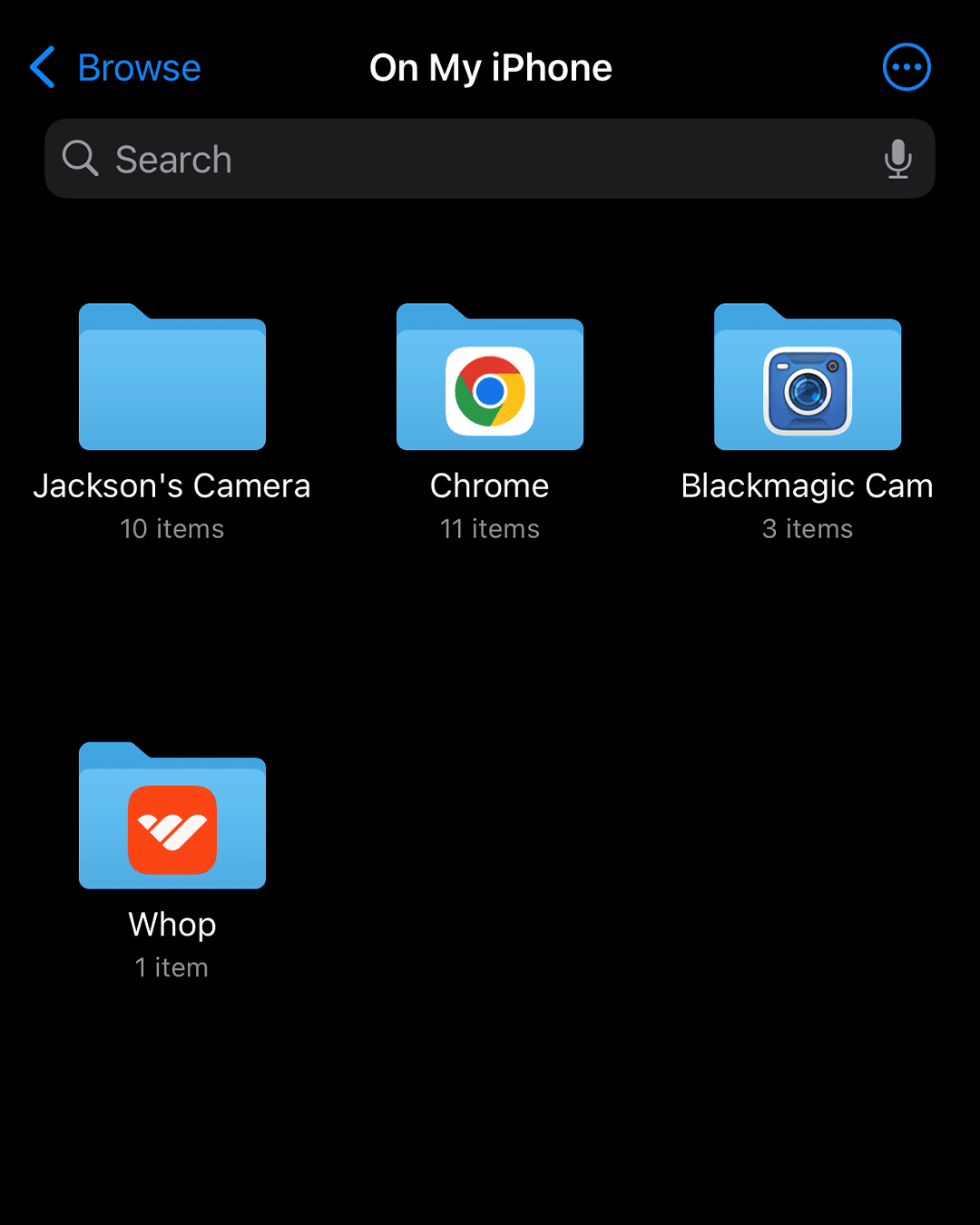
Click on files → select your hard drive → create a folder and name it “Apple RAW.”
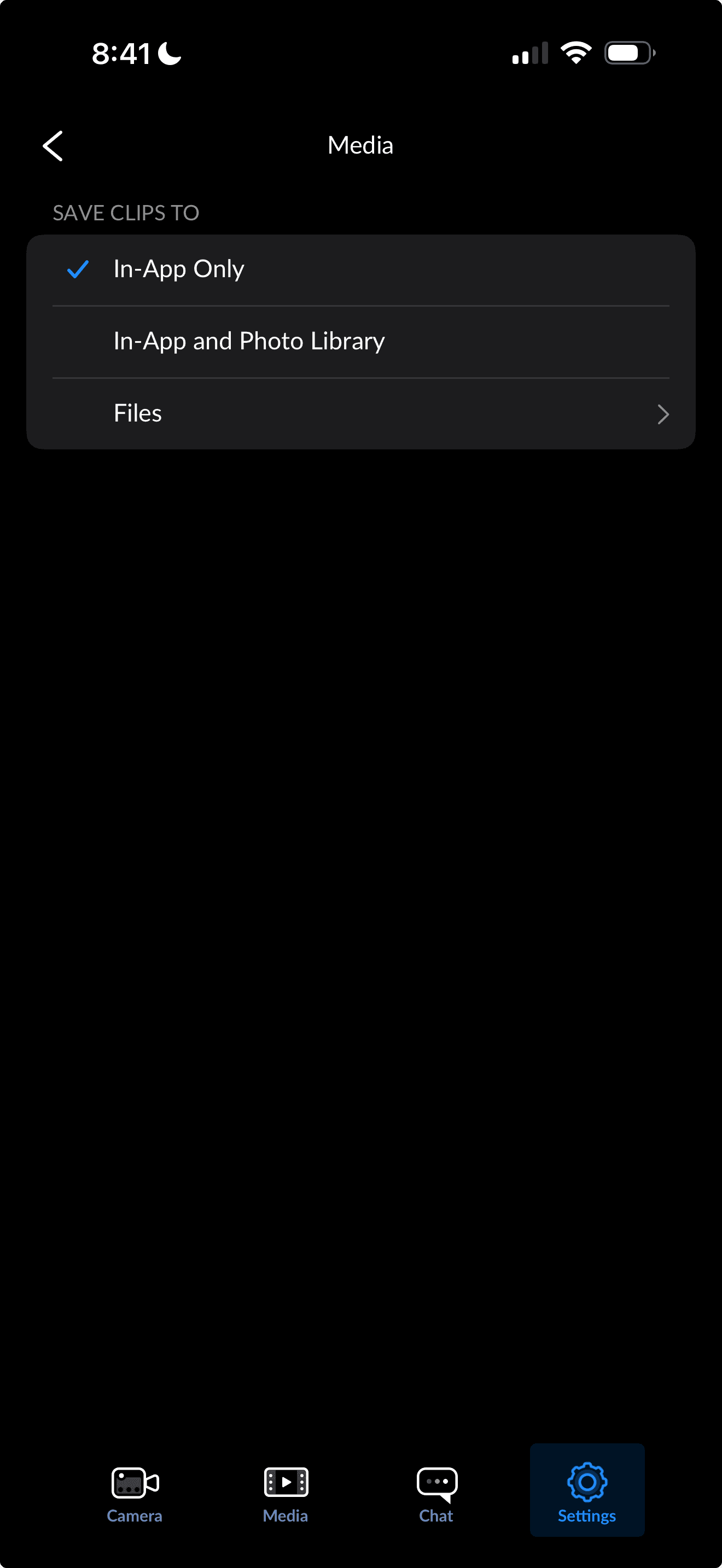
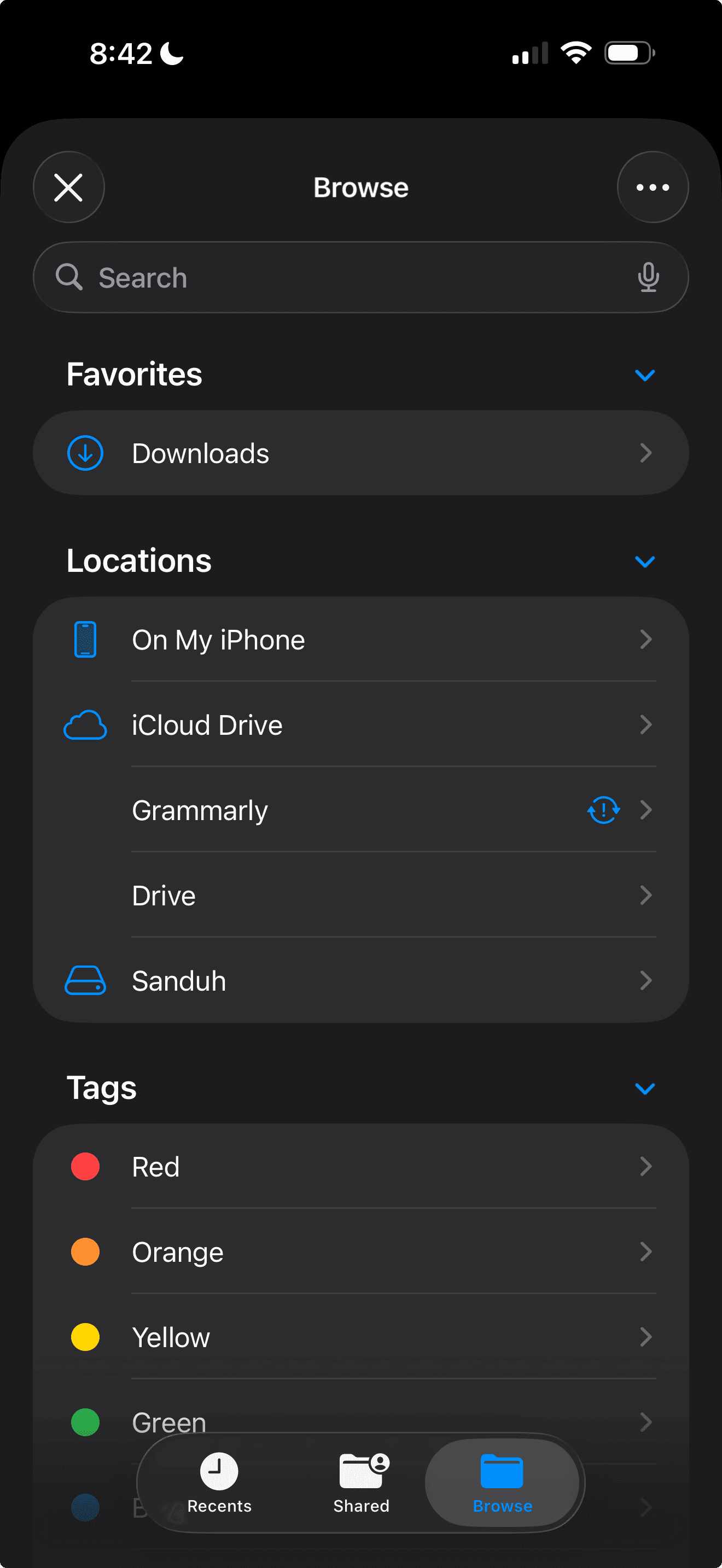
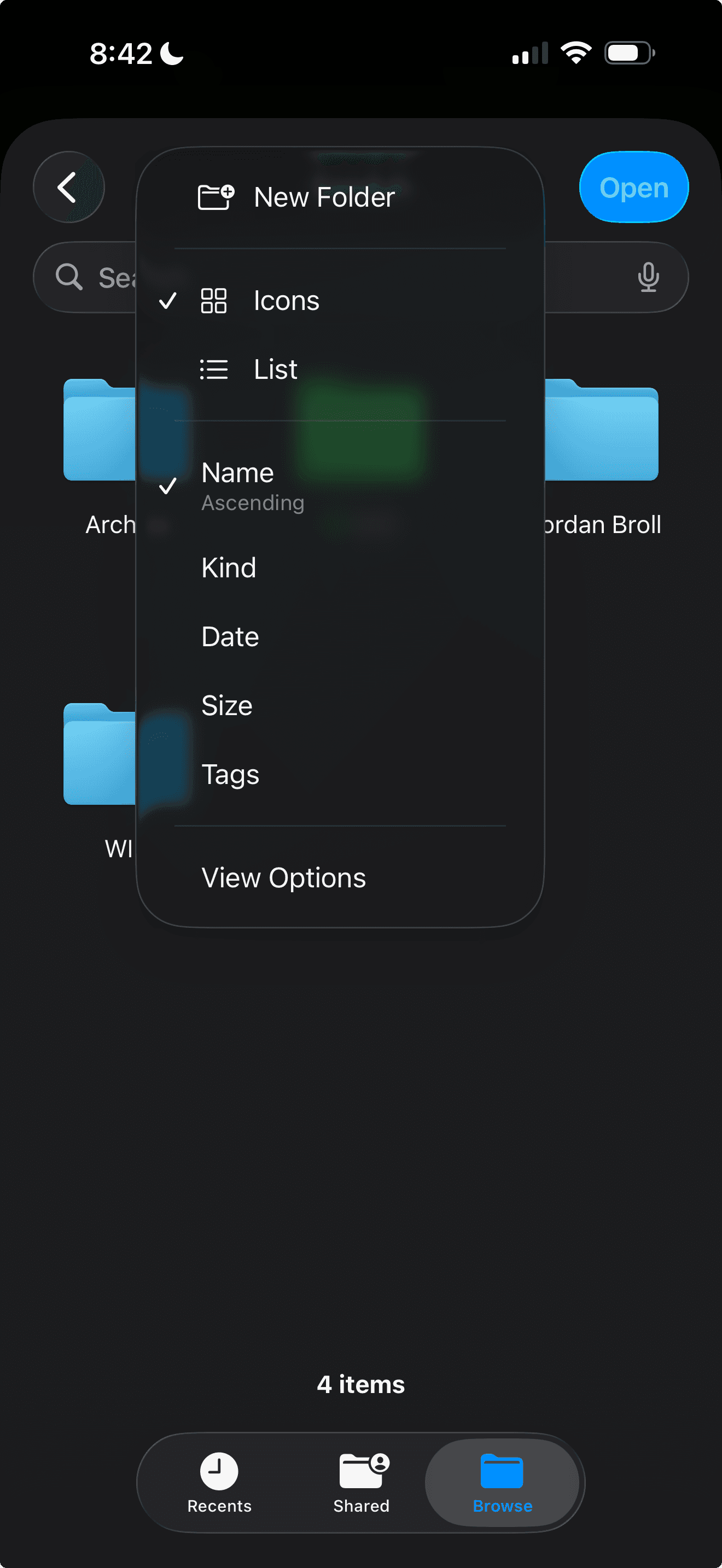
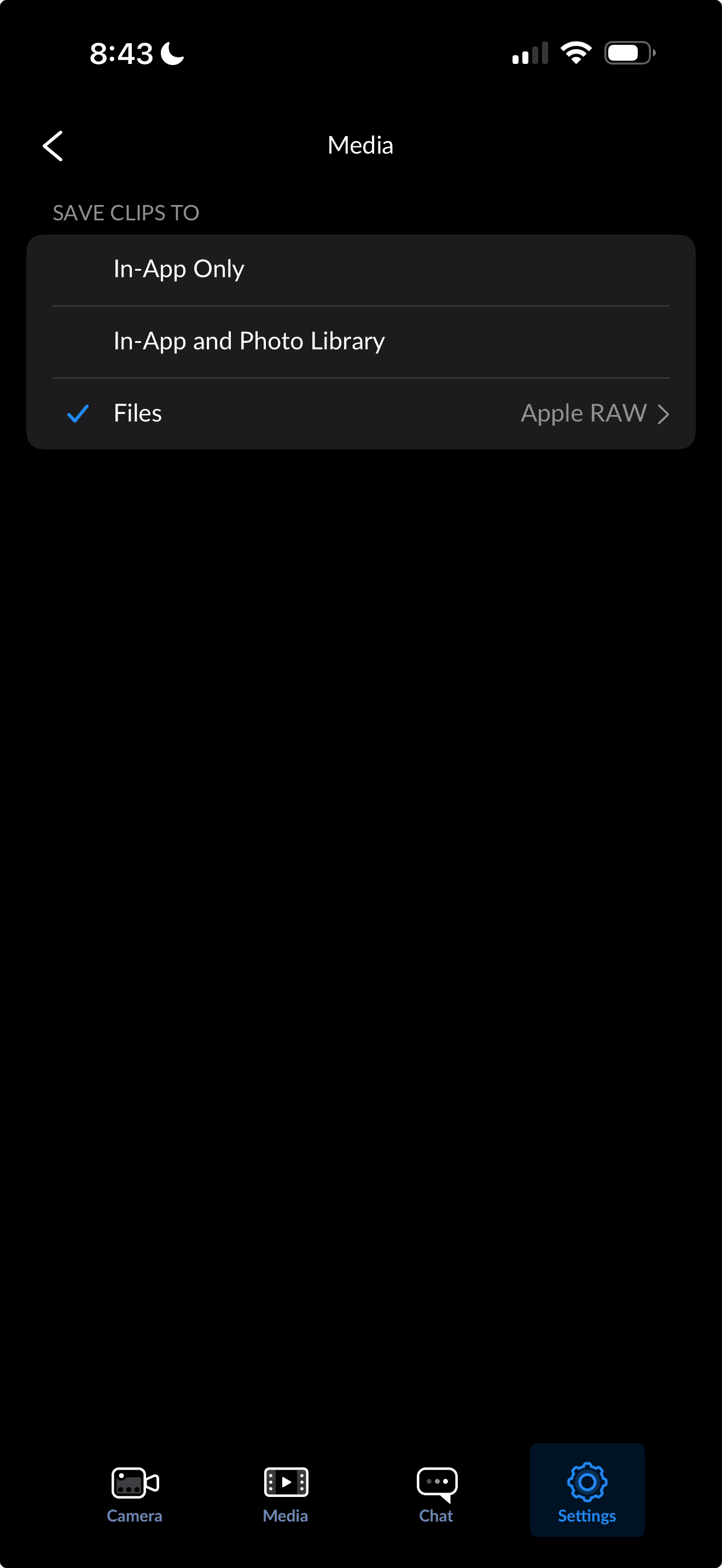
Now when your done filming you can plug your hard drive straight into your computer and get straight to editing without having to wait out transfer times.
If you have an iPhone 12 or earlier you’ll follow these nexts steps OR if you don’t want to purchase a hard drive right now this footage’s quality will still be more than enough
Then import my settings presets
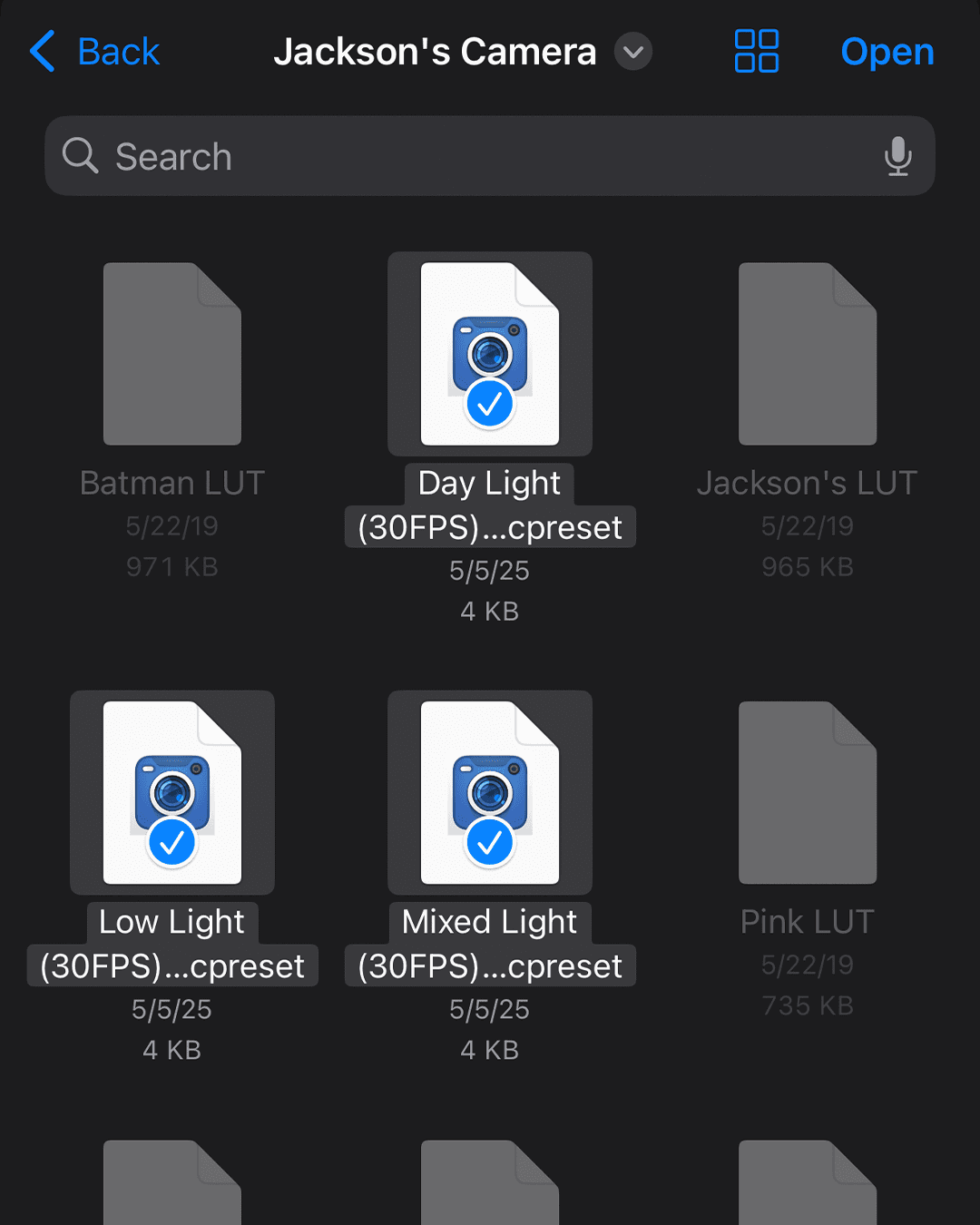
First download these presets onto your phone: BLACK MAGIC SETTINGS
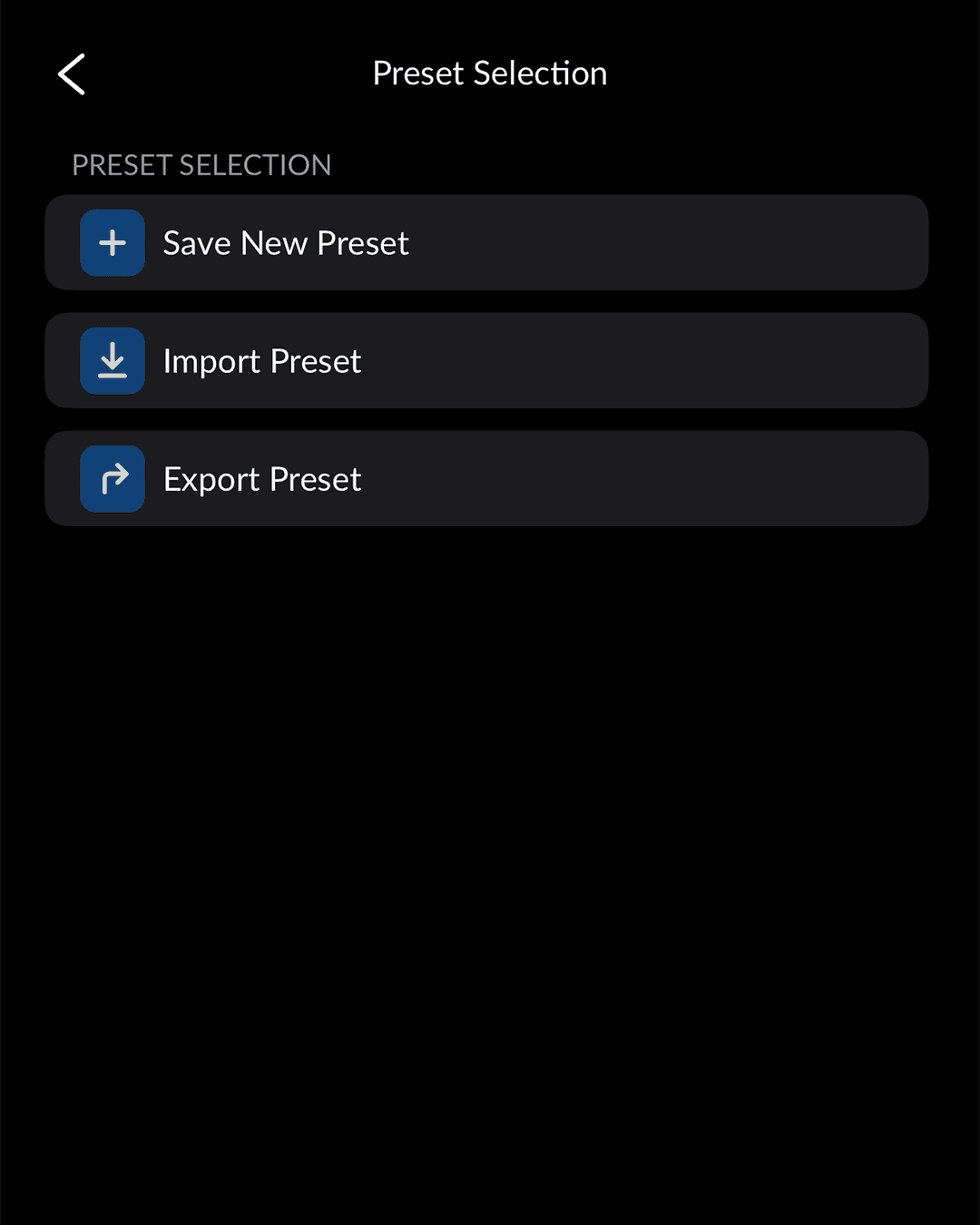
Open settings → scroll until you see the PRESETS section

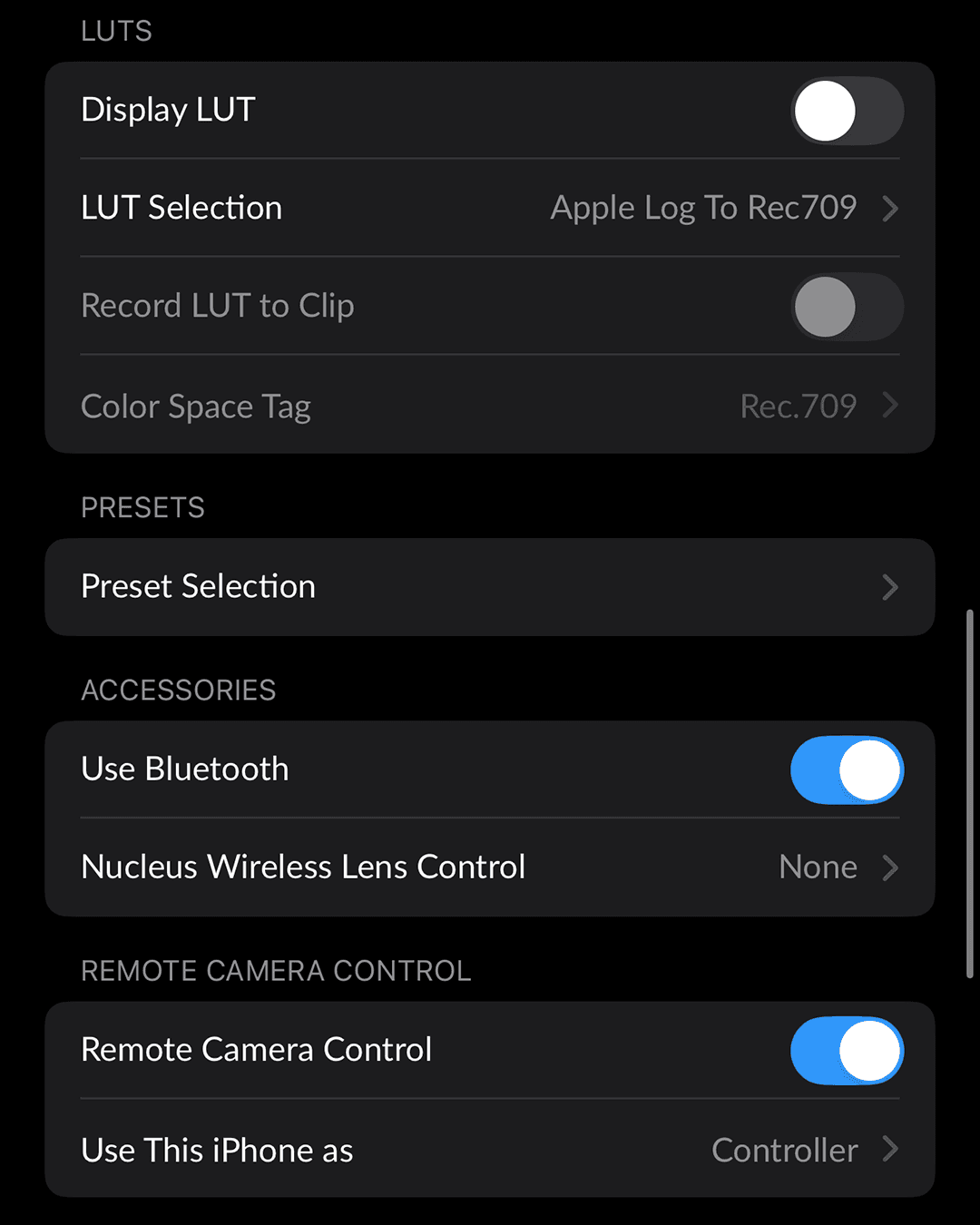
Click on “Import Preset” → open the file you downloaded from drive → select the .BMCPRESET files → click open. (I use the mixed light 30 fps the most.)

If you want to invest in a camera or have one, you can use it. But the goal of balancing content is to make the creation process easy and your most likely going to be more fluid in filming on your phone than with a new fancy camera.
Keep in mind a lot of the best videos you seen aren't because they have fancy gear but simply taking the time to plan everything out the production process.
To plan out your production process you'll need to learn how to storyboard. just the act of planning out flow, the shots, and how it all comes together before you edit will make each video feel purposeful and cohesive.